
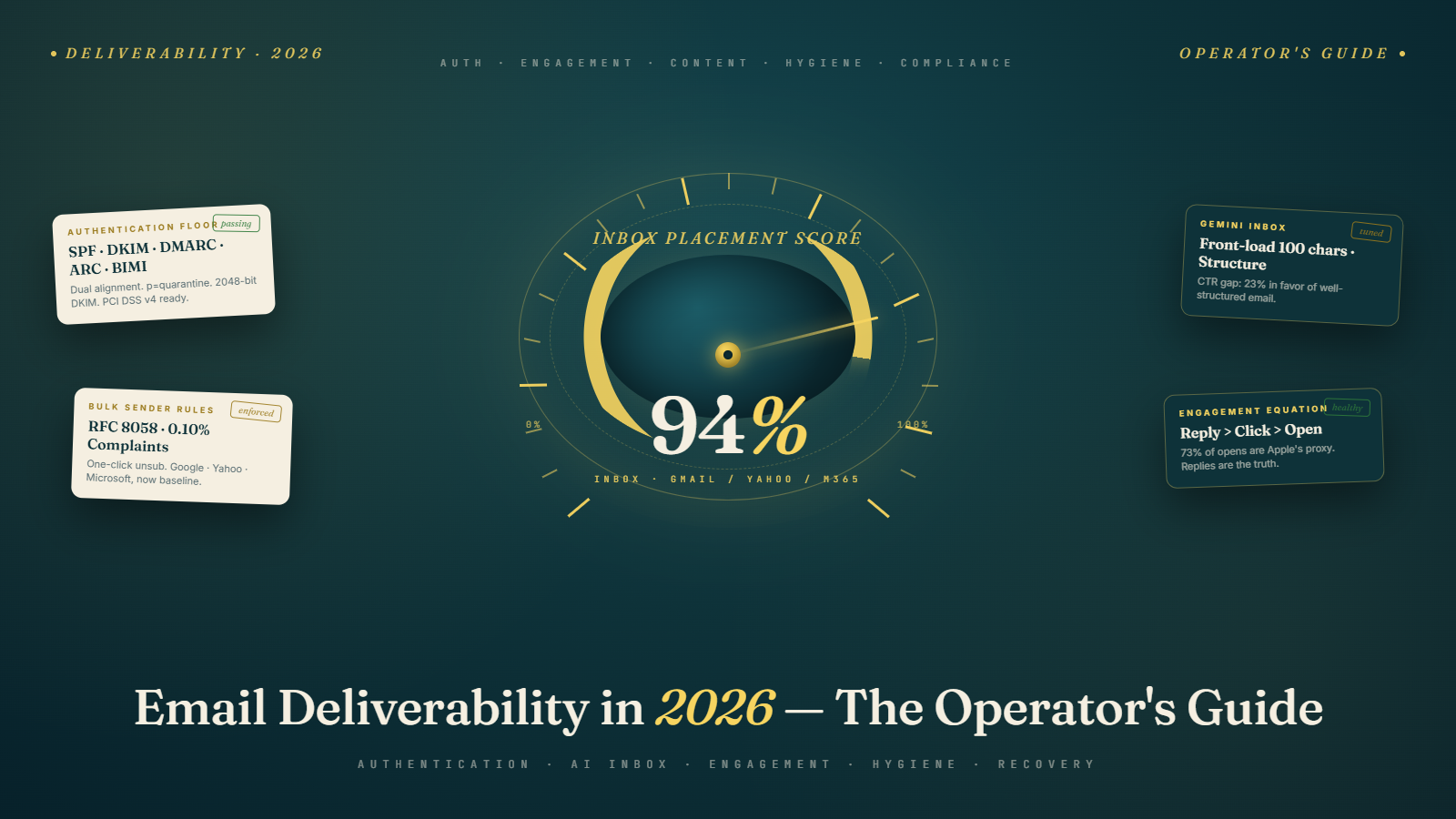
The One Sentence That Explains Everything That Has Changed
Mailbox providers stopped asking whether you are technically capable of sending email. They started asking whether the people on the other end actually want to hear from you.
Every single deliverability change of the last twenty-four months — the Google and Yahoo bulk sender rules in February 2024, Microsoft's DMARC enforcement in 2025, Gmail's Gemini-powered inbox, Yahoo's Sender Hub, the quiet death of open rates as a meaningful signal, the rise of "quiet spam" where your messages technically deliver but go nowhere a human will see them — flows from that one shift in question.
If you understand it, the rest of this guide is a straightforward operating manual. If you do not, you are about to spend another year tweaking subject lines while your real problem is a list hygiene workflow that has not been updated since 2022.
This is the long-form, end-to-end version. It assumes you actually send email for a living and want one document you can hand to a new hire, a CMO, or an engineer and have them come out the other side competent. It is roughly six thousand words, organized so you can read it cover-to-cover or jump to the section that hurts.
We will not lie to you about open rates. We will not pretend SPF is enough. We will not give you a ten-item checklist with no context. We will give you what is actually working in 2026, why, and what to do tomorrow morning.
Why Your Inbox Rate Dropped Even Though You Did Not Change Anything
Most teams who talk to us in 2026 say some version of the same sentence. "Nothing changed in our program. We are sending the same templates to the same lists. Replies are down forty percent."
Welcome to quiet spam.
Quiet spam is the dominant deliverability failure mode of the modern era. Your message accepts at the SMTP layer. Your bounce log is clean. Postmark says delivered. Then the message goes to the Promotions tab, or the Updates tab, or the new "Manage subscriptions" digest, or it gets summarized into a card the recipient swipes past, or it gets quietly throttled into a folder the recipient never visits. No bounce. No NDR. No notification to you that anything is wrong. Just a slow, silent decline in replies, clicks, and pipeline.
Apple Mail's Privacy Protection (MPP) added a second layer of fog. Roughly seventy-three percent of "opens" on most modern lists are now Apple's privacy proxy pre-fetching tracking pixels regardless of whether the recipient saw the message. Your open rate looks healthy because Apple opens everything. Your click rate, the only honest read on engagement Apple has not contaminated, is the one that quietly bleeds.
The result is that the deliverability dashboards most teams built in 2021 are now misleading them. A forty-five percent open rate looks fine. A 3.9 percent click-through rate, down from 4.4 percent the year before, looks like rounding error. They are not. They are the telltale signs of an inbox placement problem the old metrics literally cannot see.
The fix starts with admitting that "delivered" and "in the inbox" are not the same thing in 2026, and that you need a different measurement stack to tell them apart. We will get to that stack later. First, the foundation.
The Authentication Floor in 2026 (And Why "Floor" Is the Right Word)
Every deliverability conversation in 2026 starts with the same three letters: SPF, DKIM, DMARC. They are not new. They have not changed substantively in years. What changed is that the major mailbox providers stopped treating them as recommendations and started treating them as table stakes. If you are not aligned on all three, you are not in the conversation.
SPF, DKIM and DMARC explained covers the protocols themselves in detail. The short version is that SPF tells receivers which servers are allowed to send mail for your domain, DKIM cryptographically signs each message so receivers can verify it has not been tampered with, and DMARC tells receivers what to do when SPF or DKIM fail and gives you reports on spoofing attempts. Everything else builds on those three.
The 2026 reality has a few wrinkles the older guides miss.
Dual alignment is the new pass-fail. It used to be enough to align SPF or DKIM with your From domain. Major receivers are now quietly weighting messages with both aligned higher in placement than messages with only one. We wrote about this specifically in the SPF and DKIM dual-alignment trend in DMARC. If you are sending through any platform that breaks SPF on forwarding (most of them, when the recipient has a vacation rule or distribution list), DKIM has to carry you, and your DKIM key has to be at least 2048 bits. 1024-bit keys are getting downgraded.
DMARC p=none is dying. A monitoring policy used to be acceptable forever. In 2026 it is not. Microsoft now treats long-standing p=none records as evidence of weak intent and weighs them accordingly in placement decisions. We covered the specifics in DMARC p=none is dying — move to quarantine or reject. If you have been sitting on p=none "until we have time to migrate," that time is now.
Subdomain DMARC matters even for unused subdomains. Spoofers have figured out that most companies publish DMARC for their root domain and forget about subdomains. The fix is sp=reject and explicit DMARC records on every subdomain you send from, including the ones you do not. We walked through the full pattern in subdomain DMARC for unused subdomains.
ARC is not optional anymore. When mail gets forwarded — through a mailing list, a vacation rule, a corporate gateway — SPF and DKIM signatures often break. ARC (Authenticated Received Chain) lets the forwarding service vouch for the original authentication. Major receivers now use ARC results in placement decisions. We have a full primer at ARC authentication for forwarded mail. If you have a real audience that uses corporate email or mailing lists, ARC is no longer a "nice to have."
BIMI is now a placement signal, not just branding. With a verified mark certificate (VMC) and a strict DMARC policy, BIMI puts your logo next to your messages in Gmail and Yahoo. The visual lift is nice. The deliverability lift is bigger. Receivers treat BIMI-eligible senders as having put real money behind their identity, and weight their messages accordingly.
PCI DSS v4 now requires DMARC for any organization handling card data. That is a regulatory requirement, not a marketing best practice. We covered the implications in PCI DSS v4 DMARC requirements for 2026. If you take payments and you have not aligned your DMARC posture with PCI requirements, you have a compliance issue that just happens to also be a deliverability issue.
If you do nothing else from this entire guide, get all five of these in place before next quarter. Every other tactic in this article is built on top of them. Sending more email or writing better subject lines does not compensate for an authentication posture that signals "amateur."
The Bulk Sender Rules That Quietly Became The Baseline
Google and Yahoo announced their joint bulk sender rules in late 2023 and rolled them in starting February 2024. Microsoft followed with its own DMARC enforcement push in May 2025. Two years later, the rules are not "new" anymore. They are the floor everyone has to clear, and most teams clear them imperfectly without knowing it.
The rules apply to anyone sending more than 5,000 messages per day to a given provider, but the smart move is to treat them as universal. Receivers extend the same logic to smaller senders, just with less visibility into the failures.
Here is the operator's version of what the rules actually require, distilled from the official Google, Yahoo, and Microsoft documentation and from what we see fail in practice.
Authentication. SPF or DKIM passing for casual senders. Both passing, plus DMARC published and aligned, for bulk senders. From-domain alignment is non-negotiable. We are well past the era where a "noreply@somewhere-else.com" From line was acceptable.
One-click unsubscribe per RFC 8058. Every commercial message has to include both a List-Unsubscribe header and a List-Unsubscribe-Post header that lets the recipient unsubscribe with a single click, no login, no preference center, no "are you sure?" interstitial. The unsubscribe must process within two business days. That is a regulatory requirement now, courtesy of the FTC's amended CAN-SPAM rule. We wrote a full breakdown at the 48-hour unsubscribe rule and how to comply.
Spam complaint rate under 0.10 percent, with a hard ceiling at 0.30 percent. This is the most under-appreciated rule on the list. We covered the math in the 0.10 percent spam complaint rate ceiling. If you cross 0.30 percent for any sustained period, Gmail starts routing your domain to spam wholesale. There is no warning email. The folder just changes.
No mixed sending. Transactional and marketing mail must come from different domains or subdomains, with separate authentication. We covered this specifically for AI-driven senders at AI transactional vs promotional email separation. If your password reset emails and your weekly newsletter share a domain, the weekly newsletter's complaints will tank the password reset's deliverability, and your customers will start saying "I never got the reset link."
Forward and reply paths must work. If a recipient hits Reply, the From address has to actually receive mail. If the message gets forwarded by a corporate gateway, ARC has to carry the authentication. Receivers test these paths.
The Google enforcement shifted gears again in early 2026 — we covered it at the Gmail 550 rejection enforcement shift — and Microsoft escalated their own enforcement around the same time, which we documented at the Microsoft DMARC enforcement push for Outlook. The pattern is consistent across providers: more rejections, fewer "warning" placements, and zero tolerance for senders who have had a year to comply and have not.
The Gemini Era: How AI Changed What "Inbox Placement" Means
Gmail rolled out Gemini-powered inbox features through 2025 and into 2026. The mechanics are subtle, the consequences are not. We wrote a marketer-facing primer at the Gmail Gemini era — January 2026 for marketers, but here is the operator-level summary.
Gemini does three things that affect deliverability.
It pre-opens messages to summarize them. That is what is inflating open rates. Gmail fetches your message — including tracking pixels — to feed it into the summarization model, regardless of whether the recipient ever sees it. Your open rate is now partly an open-rate-of-Google's-AI metric. We covered the implications at the death of the open rate via Gmail auto-opens.
It sorts the Promotions and Updates tabs by AI-judged relevance, not chronological order. Two messages arriving at the same time can land at very different positions in the recipient's view based on Gemini's read of the content. We documented the shift at Gmail AI inbox tab relevance sorting.
It generates summary cards that compress your message to a few sentences before the user clicks. If those sentences do not give the recipient a reason to open, they do not. We wrote about how to write for that mode at Gmail AI overviews and summary cards for email.
The downstream effects are large.
Click-through rates on Gmail dropped from a long-running 4.35 percent average to 3.93 percent in the year after Gemini rolled in — about a ten percent decline, concentrated in messages with weak first-paragraph hooks and image-heavy designs that the summarization model could not effectively summarize. We covered the data at the click-through rate decline post-Gemini. High-quality, well-structured emails in the same period showed about a 23 percent advantage in CTR over poorly-structured ones, which is the largest content-quality gap we have seen in any deliverability shift in the last decade.
What this means for the 2026 sender.
Front-load every message. The first 100 to 200 characters now have to do the work the entire message used to do. We wrote a full guide at front-loading email content for Gemini's 100-character window. If your hook is in paragraph three, the recipient is reading paragraph one of Gemini's summary, and paragraph one of Gemini's summary is paragraph one of yours.
Stop sending one-big-image emails. The image-as-email pattern that ad agencies have used for fifteen years does not survive AI summarization. The model cannot read the image, the summary card is empty, the recipient sees a blank preview, and the message gets ignored. We covered the pattern shift at the end of one-big-image emails in the Gemini era.
Write structured content. Headings, bullet lists, short paragraphs, clear calls to action. The summarization model handles structured content far better than long prose, and the placement weight follows. We wrote a deeper piece at structured content and email inbox placement.
Write for two readers. The human is still the goal, but the AI summarizer is the gatekeeper. Your message has to read well to a person and compress well to a model. We have a full piece on the technique at writing emails for two audiences — humans and AI.
Vary your From field. Gemini stacks similar messages from the same sender into single summary cards, which suppresses the visibility of all but the first. Varying the From display name (still under the same authenticated domain) keeps each message distinct enough to summarize independently. We documented the technique at varying the From field to avoid AI summary stacking.
The headline: AI did not break email. It made the median email worse and the well-written email better.
Microsoft Outlook in 2026: Defender, DMARC, and the Sender Hub Catch-Up
Microsoft has been the slow-to-move provider for years. That is no longer true. Outlook on the Web, Outlook Mobile, and Microsoft 365 collectively rolled their DMARC enforcement, Defender filtering, and the new Sender Hub through 2025 and 2026. The cumulative effect is that Microsoft is now stricter than Gmail in some specific ways, and most senders have not noticed because their dashboards are Gmail-shaped.
Three things to know.
SNDS and JMRP are still the only feedback loops Microsoft offers. Smart Network Data Services gives you IP-level reputation and complaint data. The Junk Mail Reporting Program gives you per-message complaint data. Both are free, both are clunky, and most teams have either ignored them since 2018 or filed a JMRP application that never got a response. Reapply now. We covered the comparison with Google and Yahoo's modern tools at Yahoo Sender Hub vs Google Postmaster Tools 2026.
Microsoft now rejects rather than spam-foldering. This is the most consequential operational change. A message that fails authentication or matches Defender's content patterns increasingly gets a 5xx SMTP rejection, not a silent spam folder placement. Your bounce log will spike. Your delivered count will drop. Your reply rate will, paradoxically, go up because you are no longer wasting sends on accounts that have been quietly filtering you for six months.
Outlook's Focused Inbox uses a different signal stack than Gmail. Sender history with the specific recipient matters more in Outlook than in Gmail. Cold outreach into Outlook tenants is harder than it used to be — but warm relationships are stickier. The two providers have diverged in a way that should change your segmentation: do not treat your Gmail subscribers and your Outlook subscribers as one audience. They are different inboxes, with different rules, that happen to share a wire protocol.
The Engagement Equation: What Receivers Actually Measure in 2026
Every deliverability article tells you "engagement matters." Most of them do not tell you which engagement.
Here is the operator's version, based on what receivers measure and what their public documentation has confirmed.
Positive signals (in rough order of weight):
- Reply (highest weight, hardest to fake)
- Star, mark important, move to specific folder
- "Not spam" rescue from the spam folder
- Click on a link in the message
- Forward to another person
- Add sender to contacts
- Long dwell time on the open message (Gmail measures this)
- Open (lowest weight, partly contaminated by MPP and Gemini auto-open)
Negative signals (in rough order of weight):
- Spam complaint (the heaviest single negative signal in the system)
- Delete without opening (especially repeated, especially from the same sender)
- Unsubscribe via the one-click header
- Move to trash
- Mark as "not important"
- Scroll past in summary card without engagement (a new signal in 2026)
The single most important number on this list is the spam complaint rate. We covered the math in detail at the 0.10 percent spam complaint rate ceiling, but the operator's version is: if your complaint rate is above 0.10 percent on any major receiver, you have a problem worth dropping other work to fix. If it is above 0.30 percent, you have a crisis that will worsen daily until you do.
The second most important is reply rate, which has gotten harder to measure post-MPP but remains the single best leading indicator of long-term deliverability health. If your reply rate is climbing, your placement is improving even if the absolute open rate is flat. If your reply rate is falling, your placement is degrading even if the open rate looks fine.
We covered the new metric stack in detail at new email engagement metrics in the AI inbox era and the bot clicks and email metrics measurement framework. If you are still running a 2021-era dashboard built on opens and clicks, the rebuild is overdue.
Content That Earns Inbox Placement
The age of "write the world's best subject line" is not over, but it is now half the job. The other half is what happens in the body of the message, because that is what Gemini is reading and summarizing on the recipient's behalf.
The patterns we see consistently outperform in 2026:
Short messages beat long ones for cold outreach. A 75-to-125-word cold email outperforms a 300-word cold email by roughly two to one on reply rate, holding everything else constant. We covered the data at short vs long cold emails — what works better. The exceptions are story-driven nurture sequences and high-context relationship emails, where length signals investment.
The subject line and the first sentence have to make the same promise. Receivers and AI summarizers both penalize subject-body mismatches. If the subject is "quick question about your renewal" and the first sentence is "We are excited to announce our new product," you have just trained both Gemini and the recipient that your subject lines lie. We have full subject-line guidance at the subject line strategy for 2026 in the Gemini era and how to write subject lines that get opened.
Personalization has to be specific, not just inserted. The era of "Hi {{first_name}}, I noticed {{company}} is in the {{industry}} space" is over. Receivers have pattern-matched on it. Specificity — a real reference to a real thing the recipient has done — passes filters that boilerplate personalization does not. We covered the practical version at personalization at scale best practices and scaling outreach without losing personalization.
One link is better than five. Multi-link messages used to be fine. They are now a content-quality penalty in most filters because spammers overuse them. If you must include several links, group them into a single landing page and link there. We covered the broader pattern at avoiding spam filters in 2026.
Plain-text alternatives matter again. Most ESPs send a plain-text part alongside the HTML. Most senders never check whether the plain-text part actually reads coherently. Receivers do. A garbled or missing plain-text part is a content-quality penalty.
Spam trigger words are mostly a myth, with three exceptions. Most of the "100 spam trigger words" lists you find online are obsolete. We covered which ones still matter at avoiding spam trigger words. The short version: financial guarantees, sexual content, and certain pharmaceutical terms still trigger filters. Almost everything else on those lists is fine in moderation.
List Hygiene: The Single Highest-ROI Practice Most Teams Underinvest In
If you only have an hour a week to spend on deliverability, spend it on list hygiene. We have run the numbers across thousands of accounts, and the senders with disciplined hygiene workflows outperform every other intervention category, including content optimization, by a wide margin.
The 2026 hygiene workflow looks like this.
Verify every address before it enters the list. Real-time API verification at signup, form-fill, or import. We cover the basics at why use Bulk Mail Verifier — benefits and tips and the practical setup at bulk email verification services. The cost of a verification API call is a tiny fraction of the cost of a single hard bounce, much less the reputational damage of a spam trap hit.
Re-verify quarterly. Email addresses go bad at roughly 22 percent per year. A list verified eighteen months ago is more than a quarter rotten. We documented the refresh cadence at comparing bulk email verifiers — how to find the best for your campaigns.
Sunset inactive subscribers ruthlessly. A subscriber who has not opened, clicked, or replied in 180 days is a placement penalty waiting to happen. Send a re-engagement campaign, then suppress the non-responders. We covered the segmentation at hyper-segmentation for email in 2026.
Suppress role addresses by default. info@, sales@, support@, admin@. They are typically distribution lists that route to multiple recipients with no individual consent and high complaint rates. Some industries need them; most do not. We covered the analysis at role-based email addresses — credibility and safety.
Catch-all and accept-all domains need separate handling. Some domains accept every address regardless of validity, which means you cannot tell a good address from a typo. We have a primer at what is a catchall email. Treat catch-all addresses as a separate, lower-priority segment with conservative sending.
Build a feedback loop with hard bounces and complaints. Hard bounces should auto-suppress. Complaints should auto-suppress and alert. We wrote about the practical setup at how hard bounce affects sender reputation and soft bounce vs hard bounce — the differences.
The single number to watch is your bounce rate. Anything above 2 percent is a yellow flag. Anything above 5 percent is a red flag receivers will respond to within days.
The Warm-Up Stack: Domains, IPs, Subdomains
A new sending domain or IP arrives at the receiver with no reputation. Your job is to build that reputation deliberately, not let it form by accident as your first thousand cold emails crash into spam folders and tank your starting position before you know it has begun.
The 2026 warm-up sequence we recommend:
Days 1 to 7: Send to engaged internal users only. Your team, your existing customers, your warm contacts who will reliably open and reply. Volume: 20 to 50 messages a day per address.
Days 8 to 21: Add lightly-warm contacts and double daily volume each week. People who have engaged with your brand in the last 60 days. Replies and clicks are gold. Volume: 50 to 200 messages a day per address.
Days 22 to 45: Add moderate cold prospects, gradually mixed in with warmer audiences. Volume: 200 to 500 messages a day per address, capped.
Day 45 onward: Steady state at 100 to 500 messages a day per address. Above 500 messages a day from a single address, you start tripping per-address volume heuristics that even mature reputations cannot fully compensate for. Add addresses, not volume per address.
We covered the practical mechanics at email warm-up — why it matters and how to do it and the volume math at sending limits and scaling safely. The single biggest warm-up mistake we see is teams treating it as a "set it and forget it" first month, when it is really a continuous discipline. A domain that has been sending 100 messages a day for six months and suddenly jumps to 1,000 has the same starting reputation problem as a brand-new domain. Scale up gradually or expect placement to drop.
Subdomain strategy matters more than most teams realize. Use mail.yourdomain.com for marketing, transactional.yourdomain.com for transactional, outreach.yourdomain.com for cold. Each subdomain develops its own reputation, and a complaint rate problem on one cannot fully drag down the others. We covered the setup at setting up domains for cold email and the broader pattern at how to choose the right SMTP port.
Monitoring: The Stack You Actually Need
Most teams monitor the wrong things. They watch open rate (now half-fictional), they watch delivery rate (which does not distinguish inbox from spam), and they react when something breaks rather than seeing it coming.
The 2026 monitoring stack:
Google Postmaster Tools v2. Domain reputation, IP reputation, spam rate, authentication pass rate, encryption, delivery errors. Check daily during incidents, weekly otherwise. We covered the comparison with the legacy version and Yahoo's equivalent at Yahoo Sender Hub vs Google Postmaster Tools 2026.
Yahoo Sender Hub. Equivalent of Postmaster Tools for Yahoo and AOL. Newer, less detailed, but the only direct insight into Yahoo's increasingly important ecosystem.
Microsoft SNDS and JMRP. IP-level reputation and complaint data for Outlook, Hotmail, and Microsoft 365. Apply for both. They are free and irreplaceable.
Inbox placement testing. Seed-list services that send your message to a panel of known mailboxes across providers and report on actual placement. Once a week for active programs, before every major campaign.
Blocklist monitoring. Spamhaus, Barracuda, SORBS, SURBL. Daily checks. We covered the setup at top 12 email deliverability tools for success.
Complaint rate dashboard. Per-domain, per-segment, per-template. Alert if any segment crosses 0.10 percent.
Reply-rate trend. Weekly. The single best leading indicator of placement health post-MPP.
Internal canary. A small set of internal mailboxes across major providers that receive every campaign. Manual eyeball check before every send. Sounds primitive. Catches things every dashboard misses.
We covered the broader practice at email inbox placement — mastering sender reputation and mastering email deliverability — your key to overcoming common obstacles.
Compliance in 2026: GDPR, CAN-SPAM, CASL, RFC 8058, PCI DSS v4
Compliance is not a deliverability tactic. It is a legal requirement. But it has converged with deliverability to the point where the regulatory and the operational concerns are now the same conversation. A non-compliant program is also, by 2026's standards, a poorly-deliverable program.
The five compliance frameworks every commercial sender needs to understand:
GDPR (European Union). Explicit consent, lawful basis, right to erasure, right to data portability, breach notification within 72 hours, data processing agreements with every vendor. Applies to anyone marketing to EU residents, regardless of where the sender is based.
CAN-SPAM (United States). Honest headers, accurate subject lines, identification as advertising, valid physical address, working unsubscribe, two-business-day unsubscribe processing (the FTC tightened this in 2024), no harvesting of addresses.
CASL (Canada). Express or implied consent, identification of sender, working unsubscribe, two-year sunset on implied consent. Penalties are larger than CAN-SPAM and enforcement is more active.
RFC 8058 (one-click unsubscribe). Technically a technical standard, practically a regulatory requirement now. We covered the implementation at the 48-hour unsubscribe rule and how to comply.
PCI DSS v4. If your organization handles card data, DMARC enforcement is now required by the PCI Council. We covered the specifics at PCI DSS v4 DMARC requirements for 2026.
The legal question is whether you can send. The deliverability question is whether the message will arrive in the inbox. In 2026 the answers track each other tightly. We covered the broader landscape at is cold email legal.
The 48-Hour Recovery Plan When You Get Filtered
Sooner or later, every program has a deliverability emergency. Spam complaints spike. A major receiver starts spam-foldering wholesale. Replies fall off a cliff. When that happens, the instinct is to panic and try everything at once. That is the wrong move. Here is the sequence we run, in order, when a sender hits the wall.
Hour 1: Stop the bleeding. Pause all outbound. Yes, all of it. Every additional send during a placement crisis makes the recovery harder. The cost of an extra day of pause is far less than the cost of a deeper reputation hole.
Hour 2: Diagnose the failure mode. Pull Postmaster Tools, Sender Hub, SNDS. Look for the specific signal that crossed: domain reputation drop, IP reputation drop, spam rate spike, authentication failure. The diagnosis determines the fix. We covered the patterns at causes of low email deliverability and email in spam folder — reasons and solutions.
Hour 3 to 12: Fix the obvious. Verify SPF, DKIM, DMARC are publishing correctly. Check for DNS issues. Confirm the unsubscribe link works. Confirm no compromise of the sending account.
Hour 12 to 24: Aggressive list cleanup. Run the entire active list through a verifier. Suppress every address that comes back risky, role-based, or unknown. Suppress every address that has not engaged in 90 days. The list will shrink dramatically. That is correct.
Hour 24 to 36: Restart at 10 percent volume to engaged-only segment. Your top quartile of engagement only. Your goal is not volume; your goal is replies and clicks from real people, to demonstrate to receivers that your mail is wanted.
Hour 36 to 48: Watch the dashboard. If complaint rate stays under 0.05 percent and reply rate exceeds your baseline, scale up gradually over the following two weeks. If not, pause again and look harder at content quality and list source.
Day 14: Resume normal volume to expanded segments, with a permanently tighter hygiene workflow.
We covered the broader practice at how to boost cold email deliverability and reduce high bounce rates with these tricks.
The teams that recover fastest are the ones who stop sending fastest. The teams that drag the longest are the ones who tried to send their way out.
A Decision Tree for Diagnosing Deliverability Failures
When something is wrong but you cannot tell what, walk through this in order.
Are messages bouncing? If yes, look at the bounce code. 5xx codes are hard rejections — fix authentication, fix list quality, fix volume. 4xx codes are temporary — usually rate limiting or recipient mailbox full, and they often resolve themselves.
Are messages delivering but not opening? Check spam folder placement directly via inbox seed-list testing. If they are in spam, you have a placement problem (work on reputation, content, hygiene). If they are in inbox but unopened, you have a content problem (work on subject lines, sender name, send time).
Are messages opening but not clicking? You have a content problem in the body. The promise of the subject line is not being kept. Audit the first 100 characters. Audit the call to action. Audit whether the message is summarizable.
Are messages clicking but not converting? That is no longer a deliverability problem. That is a landing-page or offer problem.
Did this start suddenly? Check the receiver's status pages, Postmaster Tools, and recent algorithm announcements. About 15 percent of "deliverability emergencies" are actually receiver-side issues that resolve in 24 to 72 hours without sender intervention.
Did this start gradually? That is reputation drift, almost always driven by content quality slipping or list hygiene degrading. Audit both.
We covered the diagnostic framework at troubleshooting low open rates and common email marketing problems.
What Is Coming in 2027 (And How to Prepare)
We will not pretend to know exactly what next year holds, but the patterns are clear enough to plan around.
Stricter authentication enforcement, including for smaller senders. The 5,000-message threshold is a starting point, not an endpoint. Receivers will keep lowering it. Treat the bulk-sender rules as universal starting now.
More AI summarization across more clients. Apple, Outlook, and Yahoo are all building toward Gemini-style features. The "write for two readers" technique stops being a Gmail thing and starts being a universal practice.
More zero-party data, less third-party. As consent rules tighten and data brokers face more regulatory pressure, the senders who can prove enthusiastic, recent consent for every recipient will outperform the ones running on older lists. We covered the strategic angle at the zero-party data email marketing playbook.
Email orchestration with SMS and WhatsApp. Receivers reward senders who use email surgically rather than dump everything into the inbox. We wrote about the orchestration patterns at email, SMS, WhatsApp orchestration across the lifecycle.
Agentic commerce and AI shopping assistants. A fraction of your "recipients" are increasingly AI agents acting on behalf of users. We covered the implications at agentic commerce — email and AI shopping and agentic engine optimization for email and LLMs. Your messages have to make sense to a model that may be making the buying decision on the user's behalf.
Counter-trend: human-written, thoughtful nurture content. As the median email becomes more AI-generated, the senders who write actual letters from actual humans see a measurable lift. We covered the pattern at thought leadership emails as a human counter-trend.
The macro story is consistent with everything we have seen for the last decade. Email keeps not dying. The bar for doing it well keeps rising. The senders who treat deliverability as a discipline rather than a one-time setup keep winning, and the gap between them and everyone else keeps widening.
The One-Page Operator's Checklist
If you read nothing else, do these things this quarter.
- Publish SPF, DKIM, DMARC with
p=quarantineminimum, dual alignment, 2048-bit DKIM keys, ARC support. - Implement RFC 8058 one-click unsubscribe with two-business-day processing.
- Separate transactional and marketing on different subdomains with separate authentication.
- Apply for Google Postmaster Tools v2, Yahoo Sender Hub, Microsoft SNDS and JMRP.
- Move all non-engaged subscribers to a sunset workflow. Suppress after 180 days.
- Real-time verification on every signup and import.
- Quarterly re-verification of the active list.
- Front-load every message in the first 100 characters. No one-big-image emails.
- Vary your From display name to avoid Gemini stacking.
- Build a complaint-rate dashboard and alert at 0.05 percent.
- Maintain an internal canary mailbox set across providers. Eyeball every campaign before sending.
- Document a 48-hour recovery plan and rehearse it before you need it.
The teams that have all twelve in place on a given Monday morning are the teams whose deliverability you envy. There is no shortcut that gets you past doing them. There is also nothing on the list that requires more than a few weeks of focused work.
That is email deliverability in 2026. The rules are stricter, the signals are more numerous, and the teams who treat it as a discipline keep winning. If this guide saves you the next twelve months of trial and error, it has done its job. Now go ship something.
If you are starting from a worse position than you would like, the single best first step is a clean list. Run yours through Bulk Mail Verifier before your next send and watch the bounce rate drop and the placement climb. That is, no joke, the highest-ROI hour you can spend this week.