
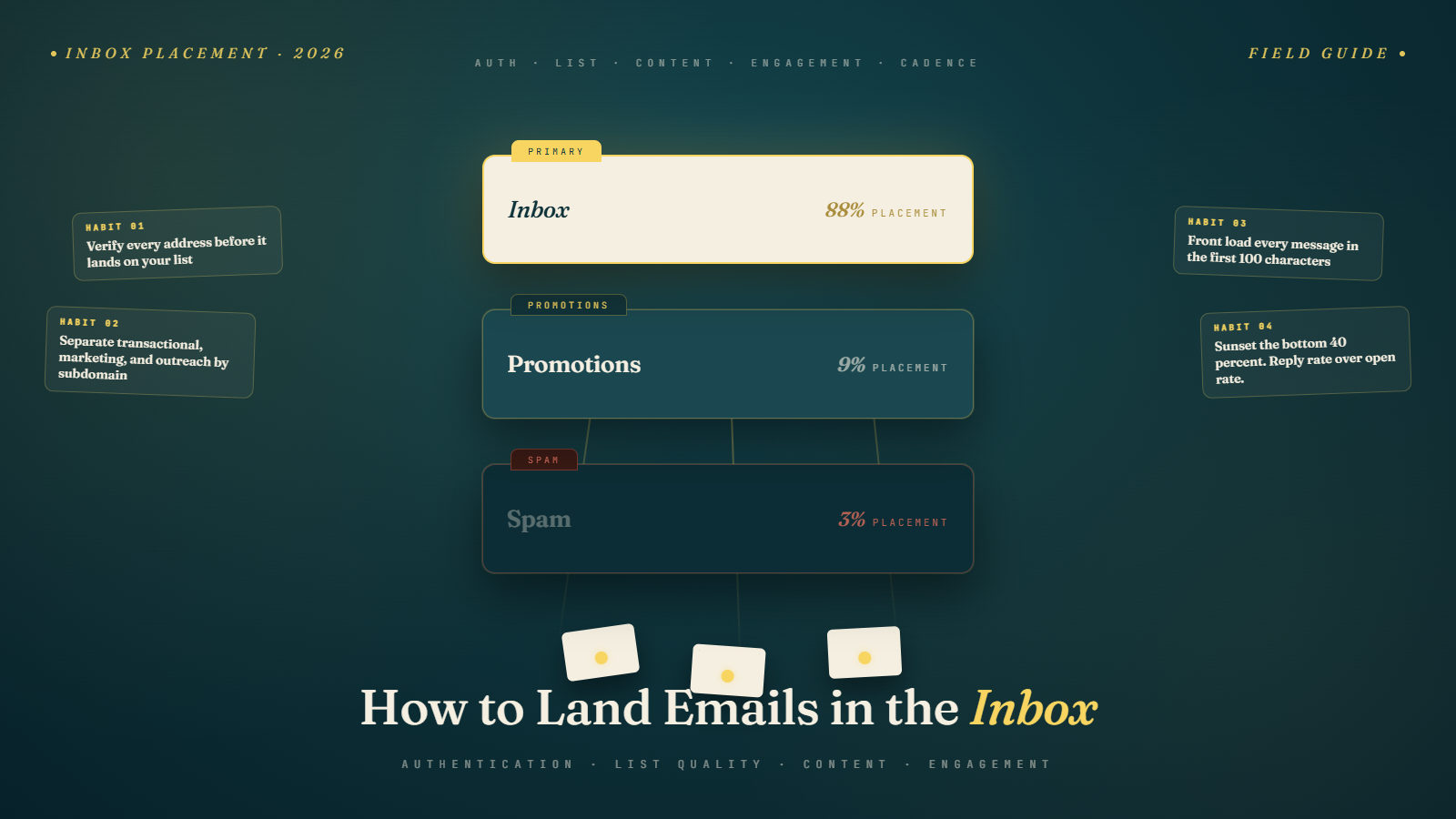
Why Most Senders Land in Spam Without Knowing It
There is a quiet pattern we see again and again. Someone tells us their open rate dropped from forty percent to twelve percent over six months. Their replies dried up. They did not change their templates, their list, or their tools. The change feels invisible to them because nothing about the way they send looks different.
What changed is what mailbox providers were measuring. Filters in 2026 are not the same filters from 2022. They watch a much wider set of signals, they grade you on the program as a whole, and they almost never tell you when you have crossed a line. You just notice the silence.
The good news is that landing in the inbox is not a single secret trick. It is a small handful of habits done together. None of them are exotic. Most of them are boring. The senders who consistently get into the inbox are the ones who treat all of them as a routine, not as a checklist they ran through once in 2023.
This guide is the working version of that routine. We use it for our own sends. We hand it to clients on day one. It assumes nothing fancy about your tooling and works whether you are sending two thousand newsletters or two hundred thousand cold emails a quarter.
Start With Who You Are Sending To
The first inbox placement decision happens before you write a single word. It is the decision about who is on your list.
A list of people who actually asked to hear from you is the easiest list in the world to land in the inbox. A list of addresses you scraped, bought, or merged from a defunct lead provider is the hardest list in the world to land in the inbox, no matter how perfect your authentication and your copy are. Filters can tell the difference. Not always on the first send, but reliably over a few weeks. The signal is bounce rate, complaint rate, and engagement, and the signal does not lie.
So before anything technical, look at where your list came from. If it came from a real opt in, you are good. If it came from a webinar three years ago and has been sitting cold, treat it as half dead and re run a real opt in before sending anything new to it. If it came from anywhere you would not put in writing, that is your real problem and no amount of subject line testing fixes it.
We have a longer take on this at how to build a high quality prospect list and the best data sources for cold email outreach. The short version is that the cheapest list is almost never the best list once you account for the deliverability hole it digs.
Get the Authentication Right Once and Forget About It
The technical floor for inbox placement is three records and one alignment. SPF, DKIM, and DMARC, with the From domain aligning to at least one of SPF or DKIM, ideally both.
If those words are unfamiliar, our primer at SPF, DKIM, and DMARC explained walks through them in plain language. The job they do, in one sentence each:
SPF tells receiving servers which IPs are allowed to send email on behalf of your domain.
DKIM lets receiving servers verify that nothing in your message was tampered with after you signed it.
DMARC tells receiving servers what to do when SPF or DKIM fails, and where to send you reports about the attempts.
You set these up once, in your DNS, and you do not touch them again unless you change sending platforms. Set DMARC to at least p=quarantine, ideally p=reject once you are confident no legitimate mail is being misclassified. We wrote about why p=none is no longer good enough at DMARC p=none is dying, move to quarantine or reject.
A few small things that catch people out:
Your DKIM key should be 2048 bits, not 1024. Older platforms still default to 1024 and major receivers are starting to weight that down.
Your DMARC record should align both SPF and DKIM where possible. Single alignment used to be enough. Receivers now quietly favor messages where both pass. Our deeper take is at SPF and DKIM dual alignment in DMARC.
If you forward mail through corporate gateways or mailing lists, look into ARC. SPF and DKIM often break across forwards, and ARC lets the forwarding service vouch for the original authentication. We covered the setup at ARC authentication for forwarded mail.
Get this layer right once. It is the price of admission. None of the rest of this article matters if you skip it.
Keep Your Marketing Mail Off Your Transactional Domain
This is the single most common avoidable mistake we see at scale.
If your password reset emails and your weekly newsletter both go out from yourdomain.com, the complaints from your newsletter eventually drag your password resets into spam. Customers stop getting their reset links. Support tickets pile up. By the time you trace it back, your reputation is already damaged on your only sending domain.
The fix is to use subdomains. Send transactional from something like notify.yourdomain.com. Send marketing from something like mail.yourdomain.com. Send cold outreach, if you do any, from a different domain entirely (yourcompany.co or similar) so it cannot affect either of the others.
Each subdomain develops its own reputation. A complaint storm on one cannot fully poison the others. We covered the broader pattern at setting up domains for cold email and the AI specific separation argument at AI transactional vs promotional email separation.
Verify Every Address Before You Send to It
The single highest leverage move for placement is keeping invalid addresses off your list. Hard bounces are the heaviest negative signal a sender can stack up. They are also the easiest to prevent.
Two places to verify:
At the moment of signup, before the address ever touches your list. A small JavaScript or server side call to a verification API catches typos, disposable addresses, and dead domains before they enter your CRM. We covered the practical setup at how to verify emails and reduce bounce rate.
On a regular cleaning cadence for your existing list. Quarterly is a good default. Monthly if you are growing fast. Before any major campaign if the list has been quiet for a while. Run the export through a verifier, suppress the dead and risky addresses, and re import only the clean side. We have a step by step at bulk email verification services.
If you do nothing else from this guide, do this one thing. The cost of one verification call is a tiny fraction of a cent. The cost of a hard bounce on your reputation lasts weeks.
Write For The Inbox, Not Just For The Open
Mailbox providers in 2026 use AI to summarize, sort, and surface email. Gmail leads on this with Gemini. Outlook and Yahoo are catching up. The practical effect is that your message has to read well to a human and compress well to a model.
A few patterns that consistently survive the new filters:
Front load every message. The first one hundred characters now do most of the work the entire body used to do. The summary card is built from the top of the message. If your hook is in paragraph three, the recipient sees a summary that opens with paragraph one, which is usually a greeting and a wind up. Move the point to the first sentence. We wrote a focused piece at front loading email content for the Gemini one hundred character window.
Use real structure. Headings, short paragraphs, plain bulleted lists. AI summarizers handle structured content far better than long unbroken prose, and the placement weight follows. The piece at structured content and email inbox placement covers what counts as good structure.
Stop sending one big image emails. The image as email pattern that ad agencies have used for fifteen years does not survive AI summarization. The model cannot read the image, the summary card is empty, and the message gets deprioritized. Our piece at the end of one big image emails in the Gemini era walks through what to send instead.
Write for the recipient first, the model second. Do not stuff keywords. Do not write in the flat tone that AI generated copy uses. Real voice, real specifics, real reasons to keep reading. The model is trying to surface things people actually want to read. If your message reads like it was written by a person who knows the recipient, the model treats it like one.
We wrote a deeper piece on the two reader pattern at writing emails for two audiences, humans and AI.
Earn Engagement, Do Not Buy It
Engagement is the single largest input into modern inbox placement decisions. Replies, clicks, stars, marks as important, moves into specific folders. All of these tell the receiver that real humans want your mail.
The temptation is to manufacture engagement with warmup tools that send fake replies and clicks across a network of bot accounts. We have watched this fail, slowly, for two years. Receivers got better at spotting bot patterns. The senders who relied on fake engagement now show worse placement than the ones who never used the tools, because the patterns are now actively penalized.
What does work, every time, in every inbox we have measured:
Send less mail to people who are not engaging. The single most useful thing you can do for placement is reduce volume to your bottom forty percent of the list. They are not opening anyway. The mail to them is mostly hurting you.
Send more interesting mail to the top twenty percent. They will reply. Replies are the single heaviest positive signal in the system. A small list of engaged readers who reply to one message in five is worth more than a large list that quietly ignores everything.
Ask for replies sometimes. A real question that takes ten seconds to answer. A request for feedback. A short prompt that invites a response. We covered the practical version at CTA strategies that increase replies and turning replies into conversations.
Sunset the dead weight. Anyone who has not engaged in one hundred eighty days gets one final reengagement try. If they do not respond, suppress them. We covered the segmentation logic at hyper segmentation for email in 2026.
The senders who stop trying to manufacture engagement and start earning it are the ones whose placement actually improves over a quarter, not a week.
Mind The Complaint Rate Like Your Inbox Depends On It (It Does)
The single number to watch every week is your spam complaint rate. The threshold most senders aim for is under one tenth of one percent. The hard ceiling, where mailbox providers start routing your mail to spam wholesale, is three tenths of one percent. If your complaint rate is climbing toward that ceiling, drop other work and figure out why before another campaign goes out.
We covered the math and the operational response at the spam complaint rate ceiling at 0.10 percent. The short version is that complaints come from three sources: people who never agreed to receive your mail, people who agreed but cannot find the unsubscribe link, and people who unsubscribed but are still receiving messages. Each of those has a clear fix.
The single most underrated complaint reducer is making the unsubscribe link comically easy to find. Top of the email, bottom of the email, large enough to tap on a phone, and the click resolves in one step with no preference center, no login, and no confirmation page. The one click unsubscribe header per RFC 8058 is now required by Gmail, Yahoo, and Microsoft for bulk senders, and processed within two business days is the legal requirement under the amended FTC rule. We wrote a full breakdown at the 48 hour unsubscribe rule and how to comply.
Counterintuitive but consistent: the senders with the easiest unsubscribe processes have the lowest complaint rates. People who can leave easily are less likely to mark you as spam, because spam is the only exit they would otherwise have.
Warm Up Slowly And Stay At A Sane Volume
A new sending domain or a new IP arrives at the receiver with no reputation. Your job is to build that reputation deliberately, in the right order.
A workable warm up sequence:
The first week, send only to engaged internal users. Your team. Existing customers. People who have replied to you recently. Twenty to fifty messages per day per address.
The second and third weeks, double the daily volume each week. Start mixing in lightly engaged contacts. Aim for replies and clicks. Fifty to two hundred messages per day per address.
By weeks four and five, you can send to moderately cold prospects, gradually mixed in with warmer audiences. Two hundred to five hundred messages per day per address.
After day forty five, hold steady at one hundred to five hundred messages per day per address. Adding more volume per address rather than more addresses is the single fastest way to undo a clean warm up.
We covered the practical mechanics at email warm up, why it matters and how to do it and the volume math at sending limits and scaling safely.
The single biggest warm up mistake we see is treating it as a one month thing. A domain that has been sending one hundred messages a day for six months and suddenly jumps to one thousand has the same starting reputation problem as a brand new domain. Scale up gradually or expect placement to drop.
Watch The Right Signals, Not The Comforting Ones
Open rate stopped being a reliable signal in 2024 when Apple Mail Privacy Protection started auto fetching tracking pixels. Roughly seventy percent of opens on a typical list are now Apple's privacy proxy, not a real human. Gmail's Gemini features compounded the problem in 2025 by pre opening messages to summarize them. Your open rate looks healthy because the AI and the proxy are opening everything.
The signals to watch instead, in order of usefulness:
Reply rate. The single best leading indicator of placement health. Replies are hard to fake, hard to inflate, and weighted heavily by every major receiver. If reply rate is climbing, placement is improving even when opens look flat.
Click rate. Less affected by MPP than opens but still partly contaminated by bot clicks from corporate security scanners. Real clicks correlate with real engagement.
Spam complaint rate. As discussed above, the heaviest single negative signal. Watch weekly.
Bounce rate. Anything above two percent is a yellow flag. Anything above five percent is a red flag receivers respond to within days.
Postmaster Tools data from Google, Yahoo, and Microsoft. The receiver side view of your reputation. We covered the comparison at Yahoo Sender Hub vs Google Postmaster Tools 2026.
The piece at the bot clicks and email metrics measurement framework goes deeper on what each metric is actually telling you in 2026.
Have A Recovery Plan, And Use It Early
When placement starts to slip, the wrong move is to send harder. The right move is to slow down, diagnose, and recover.
Our usual sequence:
Pause all outbound the moment you spot a problem. The cost of an extra day off is far less than the cost of one more day digging the hole.
Pull the receiver side data. Postmaster Tools, SNDS, Sender Hub. Identify which signal crossed. Domain reputation drop, IP reputation drop, complaint spike, authentication failure. Each has a different fix.
Run the active list through a verifier and suppress everything risky. The list will shrink. That is correct.
Restart at ten percent of normal volume, to the top quartile of engagement only. Your goal is replies and clicks from real people, fast, to demonstrate to receivers that your mail is wanted.
Watch for forty eight hours. If complaint rate stays under five hundredths of a percent and reply rate hits or exceeds your baseline, scale up gradually over two weeks. If not, pause again and look harder at content quality and list source.
The teams that recover fastest are the ones who stop sending fastest. The teams that drag the longest are the ones who tried to send their way out.
We have a longer recovery walkthrough in the operator's guide at email deliverability in 2026, the complete operator's guide.
A Short Honest Answer To The Most Common Question
People ask us all the time whether there is a single tool that solves inbox placement. The honest answer is no. There is a small group of habits, done together, that produce reliable inbox placement, and a much larger group of products that solve one piece each. Buy the verification tool. Buy the seed list inbox placement testing tool. Buy the warm up tool if you want a head start. None of them, alone, will land you in the inbox if your list is rotten or your DMARC is broken.
Inbox placement is operational discipline, not a SaaS subscription. The senders who treat it that way win, and keep winning, while the senders who chase the next clever workaround spend their quarters fighting the same fire over and over.
If you want a clean place to start this week, the highest leverage hour you can spend is verifying your active list. Bulk Mail Verifier handles this with a free trial and no card required. Cleaner list this week. Better placement next week. The rest of the habits in this guide are easier to layer on once your bounce rate is back where it should be.