
A client called me in a panic last month. Their DMARC record had been sitting at p=none for three years. Then a procurement team at a Fortune 500 partner asked for proof their domain enforced DMARC. The deal was frozen. They had forty-eight hours to migrate to p=quarantine without knowing what would break.
We got them there in thirty-six hours. Nothing broke. The real lesson is that they should have done this two years ago. If you are still running p=none in 2026, you are on borrowed time, and the time is running out fast.
What p=none Actually Does (and What It Does Not)
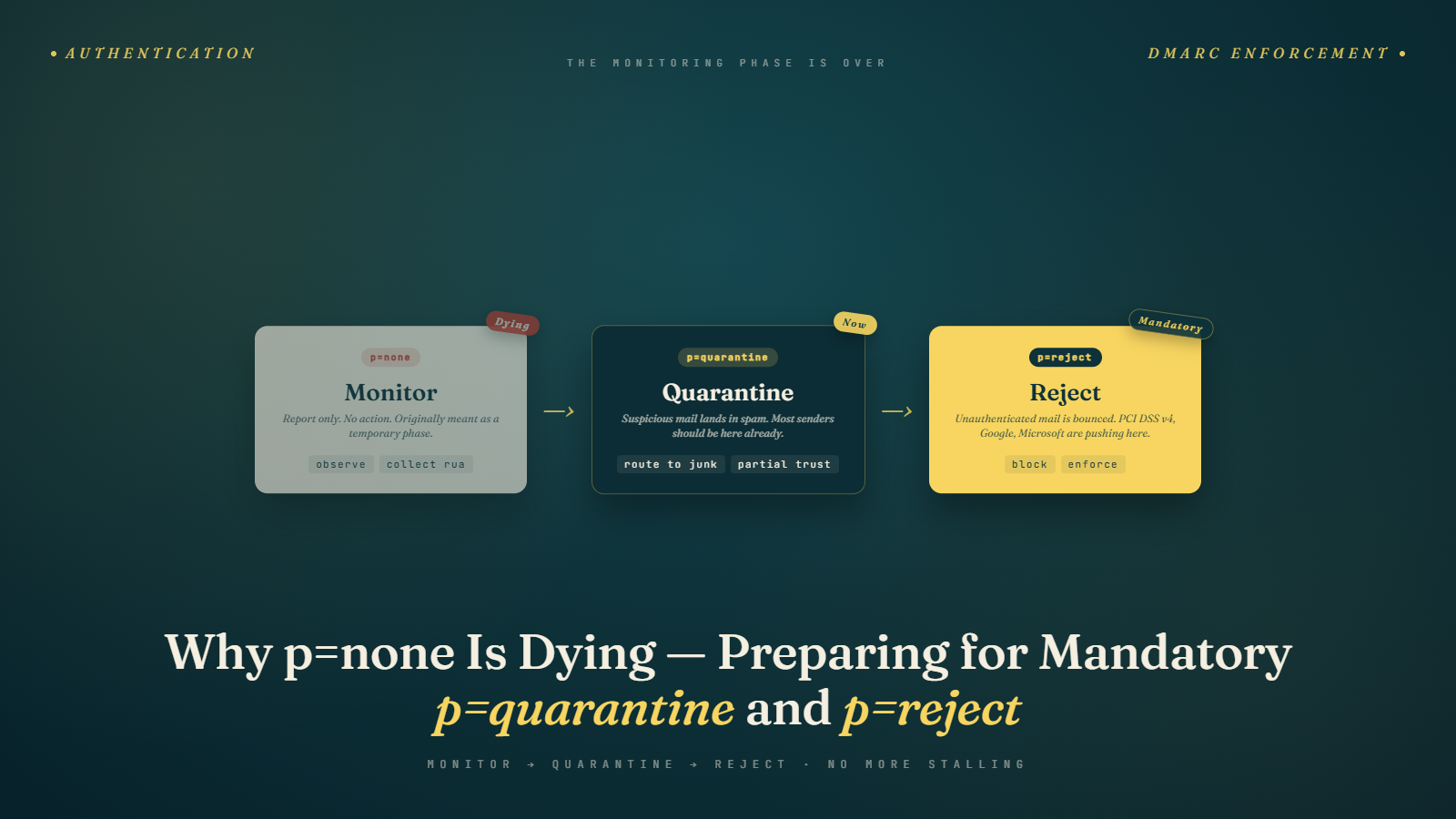
DMARC has three policy settings. The p tag tells receiving servers what to do with mail that fails DMARC checks. p=none means "do nothing, just tell me about it." p=quarantine means "send failing mail to the spam folder." p=reject means "bounce it."
A p=none record generates aggregate reports. That is its entire function. It does not protect your domain from spoofing. It does not prevent phishing in your name. It does not improve deliverability by itself. I see marketers who assume that publishing any DMARC record helps inbox placement. That is false. Receivers like Gmail and Yahoo check whether you have a record and what policy you publish. p=none tells them you have visibility. p=quarantine or p=reject tells them you have taken responsibility.
The original DMARC specification made this explicit. p=none was designed as a staging phase. You deploy it to collect data. You review the aggregate reports. You identify every legitimate sender using your domain. Then you move to enforcement. That was the plan in 2014. Twelve years later, most domains still sit at p=none because nobody ever completed the migration.
The Forcing Functions in 2026
Three major shifts have made p=none a genuine business liability this year. Google's bulk sender requirements that took effect in February 2024 required a DMARC record for senders pushing more than 5,000 messages per day to Gmail. That rule technically allows p=none. The quiet part is that Google's spam filters have been weighting p=quarantine and p=reject more heavily ever since. A domain at p=none gets more scrutiny on every message. You can read more about this shift in our breakdown of Gmail's 550 rejection enforcement.
Microsoft announced in 2024 that enforcement was coming for high-volume senders to Outlook and Hotmail. By mid-2025, they were rejecting messages at the gateway if the From domain published a strict enough DMARC policy and failed alignment. The full context on this is in our writeup on Microsoft's DMARC enforcement for Outlook.
Then PCI DSS v4.0 made it a compliance requirement. Any organization processing card data is now expected to publish DMARC at p=quarantine minimum on domains used to send email to cardholders. Auditors are checking. Our detailed analysis of PCI DSS v4.0 DMARC requirements covers the specifics, but the short version is that p=none does not satisfy the requirement.
None of these forces a single domain to move tomorrow. Together they mean that every serious sender needs enforcement by end of 2026 or they will start losing business.
The Fear of Moving (and Why It Is Mostly Unfounded)
I hear the same worry every time a client hesitates on migration. "What if we flip to quarantine and legitimate mail lands in spam?"
That worry is valid only if your authentication setup is incomplete. If every legitimate sending source for your domain has aligned SPF or DKIM, the move is safe. The whole point of the p=none monitoring phase is to prove this before you flip the switch.
Here is the reality I have seen across dozens of migrations. When we review the final week of aggregate reports before moving, roughly 98 to 99 percent of legitimate mail passes DMARC. The failing 1 to 2 percent breaks down into three categories almost every time.
First, there is forwarded mail. Someone subscribes with a work address that forwards to personal Gmail. The forwarding strips DKIM or breaks SPF. This is not your fault and enforcement does not usually affect the original recipient. The mail still reaches them because they control the forwarding rule.
Second, there is a shadow IT sender. A department signed up for a marketing tool six months ago using your domain. Nobody told IT. These get caught in aggregate reports and you can authenticate them before flipping.
Third, there is genuine spoofing. Attackers have been pretending to be you. Those are the ones you actually want to block. If you are worried about blocking them, you are worried about the wrong thing.
Reading Aggregate Reports Like a Practitioner
DMARC aggregate reports are XML files that receivers send to whatever address you specify in your rua tag. They arrive daily. Nobody reads them by hand because they are unreadable. You need a parser.
I use DMARC Digests for quick checks and Valimail for bigger programs. There are free options like Postmark's free DMARC monitoring and paid platforms like dmarcian, EasyDMARC, and Red Sift. Any of them will do. Pick one, point your rua there, and wait two weeks.
What you are looking for in the reports is pass rates by source IP. Each source IP represents a sending system. Your ESP has its own range. Your transactional provider has another. Your marketing automation platform has a third. You want to see every legitimate sender passing DMARC on both SPF and DKIM, or at least one of the two.
You will see a long tail of unknown sources. Some will be shadow IT. Some will be spoofers. Most will be forwarding servers, which show up as unaligned SPF with aligned DKIM or vice versa.
The number I track as the go/no-go signal is "percent of DMARC-passing messages from known legitimate sources." When that number sits above 97 percent for two consecutive weeks, you are ready to move to quarantine. If it is below 95 percent, keep investigating.
A Safe Migration Path
Do not flip from p=none to p=quarantine at 100 percent in one step. You can, and for small volume domains it is fine, but the percentage field exists for a reason.
The path I recommend for any domain sending more than 50,000 messages per month:
- Start with p=quarantine at pct=10. This tells receivers to apply the quarantine policy to 10 percent of failing messages. The other 90 percent are treated as if policy were none. This is a live test with limited blast radius.
- Watch aggregate reports and support tickets for one week. If no complaints, bump to pct=25.
- Another week at pct=25. Then pct=50. Then pct=100.
- Once p=quarantine at pct=100 has been stable for four weeks, move to p=reject at pct=10 and repeat the staircase.
The whole migration from p=none to p=reject should take ten to twelve weeks. You can compress it to six weeks if you are aggressive and have clean data. Anything faster is asking for a surprise.
The fundamentals of the underlying records are covered in our guide to SPF, DKIM, and DMARC explained, which is worth re-reading before you start. Most of the surprises during migration come from sloppy SPF records or missing DKIM keys, not from DMARC itself.
The Subdomain Trap
One thing that catches people during migration is subdomains. Your DMARC record at the root of example.com does not automatically apply the same policy to mail.example.com or marketing.example.com. The sp tag controls subdomain policy. If you do not set sp, subdomains inherit the root p value, which sounds safe but creates problems when you actually have a subdomain sending legitimate mail that has not been authenticated yet.
A common pattern is to set p=reject on the root domain (which sends no mail at all) and sp=quarantine on the subdomain (which handles marketing traffic). This gives you strong root protection while allowing the subdomain migration to proceed independently. I cover the full subdomain strategy in depth elsewhere, but mention it here because I have seen teams forget the sp tag and wonder why their marketing subdomain suddenly started getting throttled.
Tooling Recommendations from Real Deployments
My default stack for a DMARC migration looks like this. For aggregate report parsing, either dmarcian or EasyDMARC depending on budget. For authentication itself, whatever your ESP provides plus a dedicated DKIM signer if you run multiple ESPs. For ongoing monitoring, Valimail Monitor or the free Postmark DMARC tool if you are cost sensitive.
For email list hygiene before you turn on enforcement, run bulk email verification on your lists. This sounds unrelated. It is not. Cleaner lists mean fewer bounces, which means better reputation, which means forwarding servers are less likely to silently drop your mail in ways that mess up your aggregate reports.
One last tool I never deploy without: a dedicated BIMI-ready certificate verification tool. BIMI requires p=quarantine or p=reject. If you want your logo to appear in Gmail and Apple Mail, you need enforcement. That benefit alone has pushed several of my clients over the line.
The Most Common Migration Mistake
Teams treat DMARC like a compliance checkbox. They publish the record, collect reports for a week, panic because some mail is failing, and revert to p=none. Then they declare the project "in progress" indefinitely.
The correct framing is that DMARC enforcement is an authentication audit. Every legitimate sender on your domain needs proper authentication. The DMARC reports are simply the audit findings. If mail is failing, that is information, not a problem with DMARC. Fix the authentication. Move on.
I had a client last year with fourteen unauthenticated senders on their primary domain. Most were internal tools. One was a vendor who had been sending transactional notifications for six years with no SPF record. Nobody knew. Three weeks into the DMARC rollout, we had authenticated all fourteen. Two months later they were at p=reject. Deliverability went up roughly 8 percent on transactional mail and cold complaints dropped measurably.
Edge Cases That Derail Migrations
Three edge cases come up repeatedly and deserve their own discussion.
The first is high-volume one-to-one mail from Salesforce, Outreach, or Salesloft. These tools send from your domain but through their servers. If your SPF record does not include their IP ranges and their platform is not signing with a DKIM key aligned to your domain, you will see huge failure rates in your DMARC reports. Most sales operations teams have no idea this is the case because the mail lands in inboxes fine at p=none. Move to quarantine and suddenly half the sales team's mail starts landing in spam. Fix this before migration by checking the alignment configuration in each sales platform. Salesforce requires setup of "Send Through Your Domain" options plus DKIM key generation. Outreach has a similar flow. Get this right before you touch the p tag.
The second is transactional mail from ecommerce platforms. Shopify, BigCommerce, WooCommerce, and similar platforms often send order confirmations that look like they come from your store address. By default these may not be DKIM-signed with a key aligned to your domain. Some platforms offer custom domain authentication. Others require you to relay through your own ESP. Audit every order confirmation, shipping notification, review request, and password reset email. If any of them are failing DMARC now, they will continue failing after migration, and your customers will start complaining that they never received their order confirmation.
The third is calendar invites and automated meeting scheduling. Tools like Calendly, Chili Piper, and similar services often send invitations from the user's address. Some handle authentication properly. Some do not. Check your aggregate reports for these source IPs specifically. If they appear as failing, reach out to the vendor to configure custom domain authentication.
A Note on Reject vs Quarantine
I have been asked whether p=quarantine is enough or whether p=reject is genuinely better. The honest answer depends on your use case.
For a domain that sends transactional and marketing mail, p=quarantine is usually sufficient. It moves spoofed mail to the junk folder, which is enough to stop most phishing damage. Recipients who are curious can still recover legitimate mail from spam if you somehow misconfigure things.
For a domain used in financial transactions, healthcare, or high-value B2B relationships, p=reject is the right choice. You do not want spoofed mail in your customers' spam folders where they might recover it and act on it. You want it gone.
For a domain that sends no email at all, p=reject with pct=100 from day one is correct. No migration needed. If you own old-brand.com and it has never sent email, publish p=reject immediately. This category gets overlooked constantly and attackers love it because an unused domain with no DMARC is perfect for spoofing.
What to Do This Week
If you are at p=none, here is what you do before next Friday. Confirm you have a rua address collecting aggregate reports. If not, add one. Pick a parser, most have free tiers. Let it collect for two weeks. Identify every sender. Start authenticating the unknown ones. Fix SPF if it is over the 10 DNS lookup limit (SaaS SPF flatteners like Valimail, EasyDMARC, or Scrutinize make this easy). Add DKIM where missing. Then publish p=quarantine at pct=10.
If you are already at p=quarantine, start moving toward p=reject. The same staircase applies. The receivers increasingly reward domains at p=reject with faster inbox placement and better sender reputation signals, which is a direct contributor to your overall sender reputation.
If you are the person at a company whose domain is still at p=none and you know you should be further along, forward this post to whoever owns your DNS. The conversation gets easier when someone else has already explained the stakes.
The domain you protect today is protected for every customer who will ever receive mail from you. The domain you leave at p=none is wide open for anyone who wants to pretend to be you. That is the real math, and it has not changed since 2014. What has changed is that the receivers are finally making us do the work we should have done years ago. Take the next two weeks. Publish the rua tag. Read the reports. Start the staircase. You will be at p=quarantine by June and p=reject by August, and the worst part of the whole project will have been convincing yourself to start.