
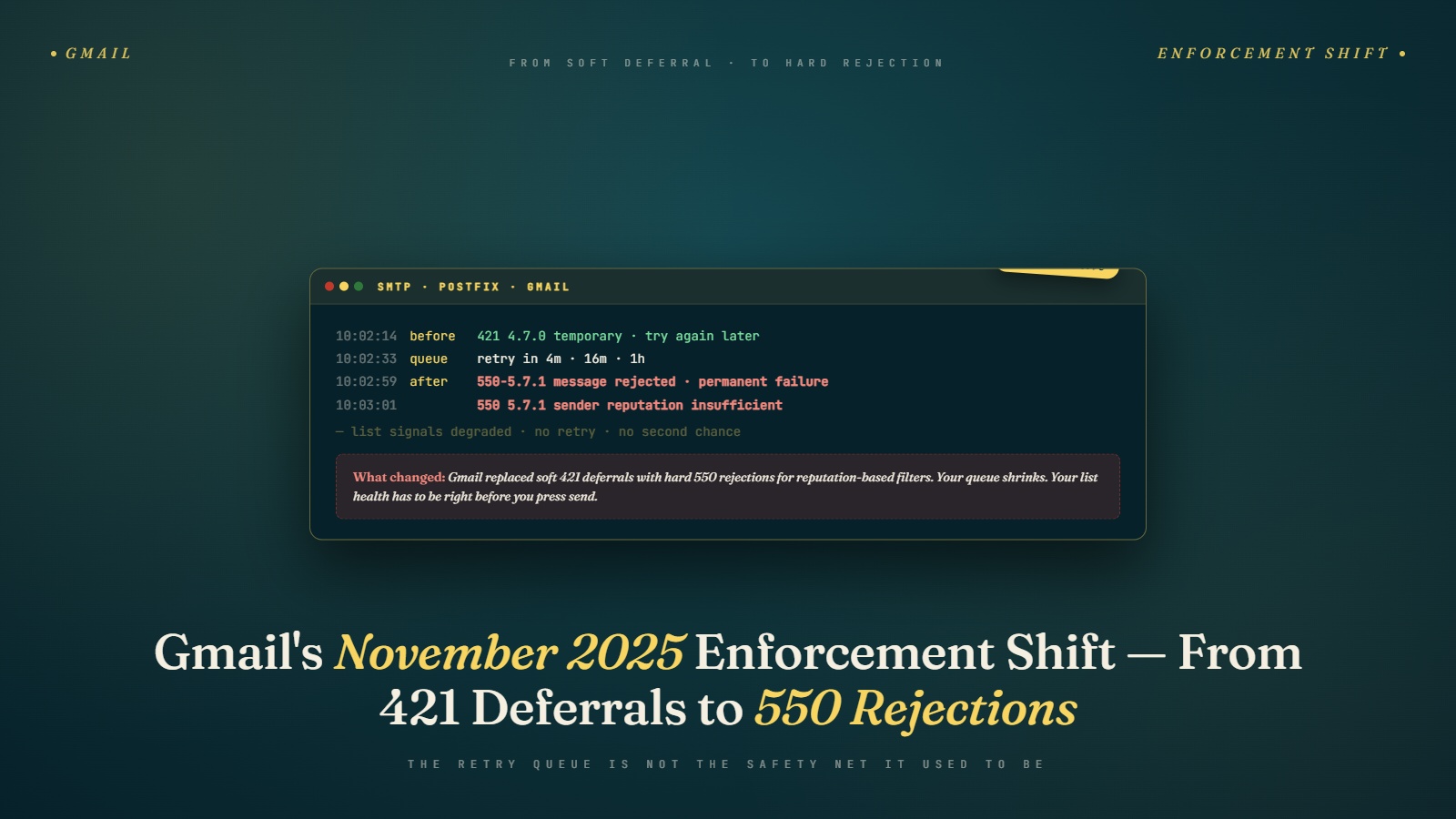
A client running a Shopify store sent her Black Friday campaign on November 26, 2025, to about 175,000 subscribers. Around 60% of those were Gmail addresses. Within three hours, her ESP was logging a hard bounce rate she had never seen: 9.4% on Gmail alone, compared to under 0.5% on every send before it. She called assuming it was a platform error. Her ESP confirmed everything on their end was fine. Gmail was issuing 550 permanent rejections where it had previously sent 421 deferrals.
That is the November 2025 enforcement shift in a sentence. Google stopped buffering questionable senders with temporary holds and started blocking them outright. If your Gmail bounce rate spiked somewhere between late November and February and you could not explain why, this is almost certainly what happened.
What 421 and 550 Error Codes Actually Mean
A 421 error is a temporary deferral: Gmail's server tells your sending infrastructure to try again later, and most ESPs retry for 24 to 72 hours. A 550 error is a permanent rejection: the message will never be accepted, the address records as a hard bounce, and no retry will change that outcome.
That distinction matters more than most deliverability discussions acknowledge. Under the old behavior, a sender with degraded reputation would receive a wave of 421s after a large send. Mail would queue, deliverability would suffer temporarily, but a significant percentage of messages would eventually get through, often landing in the spam folder. The buffer gave senders a soft landing even when they were sending poorly.
A 550 is a wall, not a speed bump. Gmail has decided at the moment of the connection attempt that your message is not getting in. Your ESP records those addresses as hard bounces. The key issue is what happens next: if your suppression list management has any gaps, those addresses can end up back in a future send, which creates a compounding reputation problem.
The other thing worth understanding is how ESPs display this data. Many platforms aggregate bounce codes and show a single "hard bounce" figure without surfacing the underlying SMTP codes. A sudden shift from 421s to 550s can look like an unexplained spike in your hard bounce metrics without any obvious campaign-level cause. Before you diagnose your program, pull Gmail-specific bounce codes out of your ESP's raw logs. If you see a large block of 550 responses appearing after November, you are looking at enforcement, not a sending error.
Why Gmail Made This Change in November 2025
Google has been escalating sender requirements for bulk mailers since early 2024. The February 2024 announcement mandated SPF, DKIM, DMARC alignment, one-click List-Unsubscribe headers, and spam complaint rates below 0.10% for bulk senders. Those rules came with a stated enforcement timeline, and Google was explicit that the grace period would not last indefinitely.
The shift from 421 to 550 is Gmail ending that grace period. The deferred retry behavior had a real cost: Gmail's servers were processing retry queues for senders that had already been scored as low quality. Every retry consumed compute and network resources. A system confident enough in its sender quality scoring to issue a 550 at initial connection does not need to process those retries at all.
The AI angle matters here too. By late 2025, Gmail's spam and reputation filtering was deeply integrated with machine learning models that score sender quality in near real time. A model that can classify a sender's quality within milliseconds of a connection attempt, with high confidence, does not need the uncertainty buffer that 421 deferrals represented. The 421 was partly a hedge against model error. Google's confidence in its own scoring appears to have crossed a threshold where that hedge was no longer worth the cost.
Here is the contrarian read that most deliverability commentary gets wrong: this change is good for email as a channel. Senders who maintain clean lists, low complaint rates, and proper authentication were not getting waves of 421s before, and they are not getting 550s now. The only programs that feel this shift are the ones already failing Gmail's quality signals. Framing this enforcement change as a threat to all senders is inaccurate. It is targeted, and deliberately so.
What Actually Triggers a Hard 550 From Gmail
Gmail does not publish a precise threshold document, and I would be skeptical of anyone who claims to have reverse-engineered one. The filtering is multi-signal and probabilistic. Based on Google Postmaster Tools data, Validity's Sender Intelligence reports, and patterns observed across multiple client programs since November, the signals most correlated with 550 rejections fall into a few categories.
Spam complaint rates above the 0.10% threshold are the clearest driver. Google's publicly stated ceiling is 0.10%, with anything approaching 0.30% representing a crisis-level signal. The November enforcement shift appears to have moved the trigger point earlier in that curve. Senders sitting in the 0.05% to 0.08% range but mailing heavily disengaged segments started seeing rejections where they might have seen deferrals or slow delivery before. See how spam filters evaluate complaint rate signals in 2026 for a deeper breakdown of how these scoring thresholds work in practice.
Volume concentrated on unengaged addresses is the second major factor. Gmail tracks engagement at the individual address level, not just the domain. If you send a 50,000-address campaign where 30,000 recipients have not opened, clicked, or replied to anything from you in over a year, you are generating traffic that Gmail has low confidence in. Pre-November, a share of that traffic got deferred and eventually landed in spam. Post-November, more of it gets rejected at the connection.
IP reputation compounds everything else. If your sending IP, whether dedicated or in a shared pool, shows "Low" or "Bad" in Google Postmaster Tools, 550s will appear at higher volumes regardless of your domain's individual signals. Agencies running multiple clients on shared infrastructure need to watch this carefully. One client with a deteriorating list can drag the pool's IP reputation down for every other sender on it. I saw this happen with a small agency in Q1 2026 that ran four ecommerce clients on the same shared IP block. One client, a seasonal gift retailer, had sent a messy post-holiday clearance campaign with a complaint rate above 0.20%. Within a week, two other clients on the same block started reporting Gmail delivery issues, even though their own lists were in good shape. The retailer's complaint rate had pushed the shared IP into "Low" territory, and every sender on that infrastructure paid for it.
Authentication gaps multiply risk. DKIM misalignment, SPF hard failures, or any DMARC configuration problem in your sending infrastructure significantly raises your rejection probability. These are not the primary cause of 550s the way complaint rates are, but they amplify the effect of every other negative signal.
The Sending Programs Most Exposed in Q4 2025
Not every program felt the November shift equally. The sending profiles that took the hardest hits share recognizable patterns.
High-volume ecommerce brands with a holiday-season strategy that included dormant subscribers. Black Friday is the worst possible moment to mail a 12-month-inactive segment. That is when your volume is highest, your Gmail concentration is typically highest, and your risk of triggering complaint-rate thresholds across a disengaged audience is highest. A client running a mid-size apparel brand on Klaviyo saw their Gmail delivery rate drop from 94% to 81% between November 24 and November 28. They had mailed a re-engagement segment two days before their main Black Friday campaign. The complaint rate from that segment contaminated the reputation of the subsequent full-list send.
B2B senders with loosely qualified contact lists. These are the programs where sales teams keep adding contacts from events, content syndication, or third-party data providers, and list hygiene is treated as a quarterly task at best. A significant share of those contacts have Gmail addresses through personal accounts, former employers, or Google Workspace-hosted company domains. B2B senders consistently underestimate their Gmail exposure for exactly this reason.
Senders relying on catch-all validation as sufficient hygiene. A catch-all domain accepts all incoming mail regardless of whether the specific address exists. Verification tools that only check deliverability at the domain level mark these as acceptable when many individual addresses in those domains are dead or abandoned. If your list cleaning process has been passing catch-all addresses as deliverable and mailing them, you have likely been accumulating reputation damage for months before any 550 spike appeared in your metrics. This is particularly common in B2B lists where many contacts work at small businesses running their own Google Workspace domains. The domain looks valid, the catch-all returns a positive check, but half the individual addresses on those domains belong to people who left the company two years ago. Gmail knows those accounts are dormant. You do not.
What 550 Rejections Do to Your Domain Reputation Over Time
The 550 rejection itself is not the problem. What you do afterward is where sustained damage happens.
When Gmail issues a 550 and your ESP records a hard bounce, that information is supposed to flow into your suppression list immediately. In practice, there are several failure modes. ESP integrations with CRMs often have sync delays measured in hours or days. Manual list uploads can overwrite suppression records. Multi-system setups, where your marketing automation platform feeds a separate transactional ESP, can result in bounced addresses living in one system but not the other.
If a 550-rejected address gets mailed again within a short window, Gmail reads that as behavior consistent with low-quality sending. Legitimate programs handle bounce data. Only senders operating without proper hygiene keep hitting addresses after being told no. Repeat attempts against rejected addresses contribute to IP-level complaint calculations and can trigger rate limits or domain-level blocks that affect your entire sending throughput, not just the problem segment. Understanding the difference between soft and hard bounces matters here, because the suppression rules for each type are different.
I tracked this exact cascade with a SaaS company whose marketing ops team discovered in January 2026 that about 6,000 Gmail addresses hard-bounced in November had been re-imported into a campaign through a contact list refresh from their CRM. They had mailed them twice before catching the error. Their domain reputation in Postmaster Tools dropped from Good to Medium within ten days of those sends. Getting back to Good required eight weeks of tightly managed, high-engagement-only sending.
What "tightly managed" looked like in practice: sends capped at 5,000 Gmail addresses per campaign, filtered to subscribers who had opened or clicked something in the previous 60 days, with full suppression of anyone who had not engaged in 90 days or more. No blasting. No list refreshes without verification. Just consistent signals of real engagement until Postmaster Tools reflected a domain reputation the infrastructure had earned back.
How to Tell If the Enforcement Shift Already Hit Your Program
Pull Google Postmaster Tools for your sending domain. If you have not configured it yet, that is the first step before anything else.
In the Domain Reputation chart, look for any step-down in your rating around late November or December 2025. A move from Good to Medium, or from Medium to Low, that coincides with that period without an obvious change in your sending practices is a strong indicator that the enforcement shift caught you.
In your ESP, filter bounce logs by hard bounce type, then filter by @gmail.com or Google Workspace domains. Any campaign from that period showing a Gmail-specific hard bounce rate above 2% signals a list quality problem that will not resolve on its own.
Check your IP Reputation tab in Postmaster Tools separately from your Domain Reputation tab. These two charts tell different stories, and many senders only check one. If your IP reputation dropped while your domain rating held steady, you may be sharing sending infrastructure with other programs whose lists are in worse shape than yours. This guide to checking and improving your sending IP reputation walks through exactly what to look for in each Postmaster Tools report and how to interpret the score ranges.
What to Do Before Your Next Campaign Reaches Gmail
The order of these steps matters as much as the steps themselves.
- Export all hard bounces from November 2025 forward and confirm suppression is active across every system that feeds your sending pipeline: your ESP, your CRM, your marketing automation platform, and any third-party tools that push contact records to your sending lists.
- Verify your Gmail segment before the next send. Run your list through an email verification service that identifies invalid addresses, high-risk catch-all domains, and addresses with no recent activity, not just role accounts. Bulk Mail Verifier can process your full list and flag the address types most likely to generate 550s, giving you a clean set before you send. This walkthrough on verifying emails and reducing bounce rate covers what to look for in verification results and how to action them.
- Segment by last engagement date before sending to anyone. Any Gmail address with no confirmed open, click, or reply in the past nine months deserves a separate re-engagement send first, not inclusion in your main campaign. Let the response data tell you which addresses belong on your active list.
- Review your DMARC policy. A p=none policy gives you visibility with no enforcement. Moving to p=quarantine is a reasonable next step for most programs and brings you into alignment with where mandatory enforcement is heading. If you are not sure what your current DMARC record says or how to read it, the SPF, DKIM, and DMARC setup guide here is a clear starting point.
- Check your sending IP's reputation score in Postmaster Tools. If it reads below Medium, talk to your ESP about your options before your next high-volume send.
The underlying logic behind all of this is simple: Gmail's new enforcement posture does not penalize volume. It penalizes disengaged volume. A list of 500,000 subscribers where 80% of Gmail addresses engaged in the past six months is safer under these rules than a 100,000-subscriber list where half your Gmail segment has not opened anything since 2023.
Pull your engagement segments tomorrow morning, filter to Gmail addresses, and look at the distribution. If more than 30% of your Gmail subscribers have not engaged in over nine months, you have your diagnostic. That number tells you where the 550 risk lives and where to start cleaning before your next send goes out.