
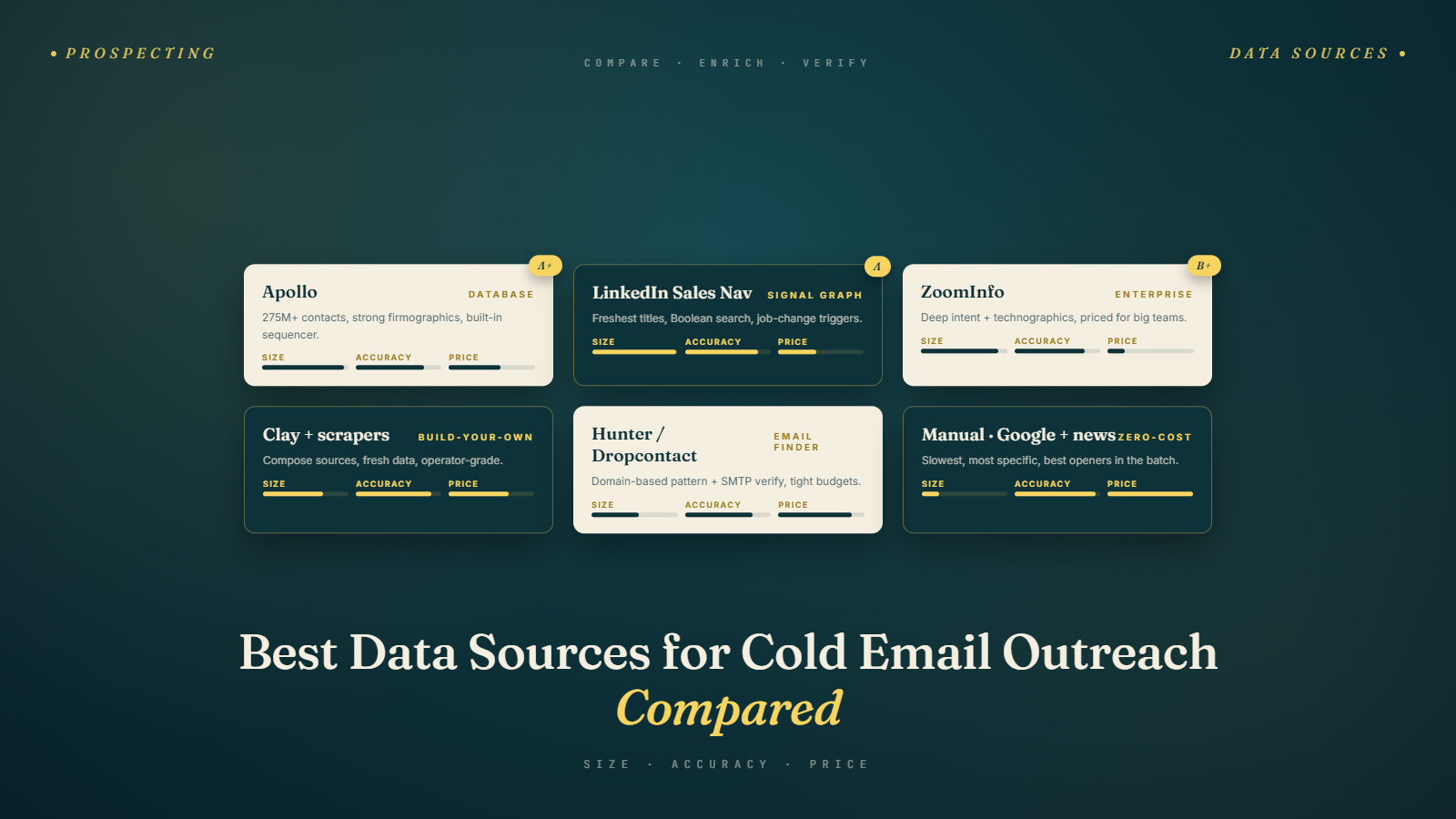
The Data Problem No One Talks About
There's a dirty secret in the world of cold email: most people don't know where their prospect data actually comes from. They sign up for a tool, pull a list, and start sending. When the results are disappointing, they blame the copy, the subject line, the sending time — everything except the data itself.
But here's the thing: your data is the bedrock of everything. If the company doesn't match your ICP, the email is irrelevant. If the email address is outdated, it bounces. If the title is wrong, you've pitched the wrong person. Every downstream step in your cold email process — the personalization, the copy, the sequence — depends on the quality of the data you start with.
Most salespeople and founders I talk to use one database and trust it implicitly. That's a mistake. Every major data source has gaps, biases, and weaknesses. The best outbound teams layer multiple sources and know how to use each one effectively.
This guide breaks down the main categories of data sources, the best tools in each category, what they're actually good for, and how to combine them intelligently. This is a direct continuation of the work you started in How to Build a High-Quality Prospect List — now we're going deeper on where the data comes from.
Category 1: All-in-One B2B Databases
These platforms give you firmographic data, contact information, and in many cases email addresses, all in one place. They're the starting point for most outbound teams.
Apollo.io
Apollo has become one of the most popular choices for small and mid-market sales teams, partly because of its pricing (there's a generous free tier) and partly because its data coverage is genuinely strong, especially in the US SaaS space.
What it's good for:
- Finding contacts by title, industry, company size, geography, and technology used
- Built-in email sequencing (so you can prospect and send in one tool)
- Job change alerts and intent data on higher-tier plans
- Reasonably fresh data for US tech companies
Where it falls short:
- Data quality outside the US and Western Europe drops meaningfully
- Email accuracy isn't perfect — you'll still want to verify anything you export
- Coverage for niche industries (agriculture, regional logistics, local professional services) is thinner
- The UI can be overwhelming for new users
Apollo is a solid primary source for most B2B outbound teams targeting North America or Western Europe in tech, SaaS, or professional services.
ZoomInfo
ZoomInfo is the enterprise standard. It has the largest database in the industry — hundreds of millions of contacts — and some of the most sophisticated intent and technographic data available. It's also significantly more expensive, typically starting in the thousands per year.
What it's good for:
- The most complete coverage of enterprise and Fortune 500 companies
- Deep intent data (which companies are actively researching certain topics)
- Strong technographic filtering
- DealPredict and buying intent signals
- Very thorough enrichment
Where it falls short:
- Price is prohibitive for early-stage startups and small teams
- Some smaller and newer companies are underrepresented
- The data refresh cadence can lag behind reality — contacts you find may have changed roles
- There's been ongoing controversy about how their contact data is collected
If you're selling to enterprise and can justify the cost, ZoomInfo is hard to beat on coverage. For everyone else, there are better value alternatives.
Lusha
Lusha sits somewhere between Apollo and ZoomInfo in terms of sophistication and pricing. It's particularly well-regarded for direct dial phone numbers, which is useful if your outreach strategy includes calling.
What it's good for:
- Phone numbers — this is where Lusha genuinely stands out
- Quick, clean UI with a good Chrome extension for LinkedIn prospecting
- Solid data for mid-market companies
Where it falls short:
- Email coverage is less complete than Apollo or ZoomInfo
- Limited advanced filtering compared to the bigger platforms
- Pricing can add up quickly as your team grows
Lusha is a good complement to a primary database, especially if you're running multi-channel sequences that include calling.
Cognism
Cognism has become the go-to choice for European outbound teams. Their GDPR compliance is built in by design, and their coverage of EMEA markets is genuinely strong.
What it's good for:
- European markets — this is Cognism's clear differentiator
- GDPR-compliant data collection and consent flags
- Diamond-verified mobile numbers (phone-verified, not just algorithmically matched)
- Strong account-based intelligence features
Where it falls short:
- Pricing is on the higher end
- US coverage isn't as deep as Apollo or ZoomInfo
- Less suitable for broad SMB prospecting due to cost
If you're targeting EMEA, Cognism is worth the price. If you're US-only, there are better-value options.
Category 2: LinkedIn and LinkedIn Sales Navigator
LinkedIn is, without question, the world's largest professional database. Over a billion professionals have created profiles there, and they keep them updated themselves — which is something no third-party database can replicate.
The problem is that LinkedIn doesn't want you extracting that data at scale. Their terms of service restrict scraping, and they actively work to prevent bulk data extraction.
Free LinkedIn: You can search for companies and people with basic filters, but you're limited in how many searches you can do per month and how far you can browse results.
LinkedIn Sales Navigator: This is a massive upgrade for outbound prospecting. You get:
- Advanced lead and account filters (function, seniority, headcount growth, keywords, and dozens more)
- Saved searches with automatic alerts when new people match
- InMail credits to contact people you're not connected to
- TeamLink to leverage your company network for warm intros
- Account lists you can organize and track
We have a full walkthrough of LinkedIn prospecting in the next article in this series, including how to use Boolean search, build account lists, and extract contacts efficiently.
LinkedIn + Scraping Tools: Tools like Phantombuster, Evaboot, and Wiza allow you to extract data from LinkedIn searches at scale. These sit in a legal gray area — they technically violate LinkedIn's ToS, and LinkedIn does periodically shut them down or limit them. That said, many teams use them routinely and successfully.
If you go this route: use them carefully, don't over-scrape, and always verify any emails you get through these tools before sending.
Category 3: Technographic Data Sources
If your ICP includes a technology component — "companies using Salesforce," "e-commerce businesses on Shopify Plus," "marketers running Google Ads" — technographic data sources are invaluable.
BuiltWith
BuiltWith crawls websites and detects what technologies they're running — CMS, analytics tools, ad platforms, e-commerce platforms, marketing automation, and much more.
It's the gold standard for web technology detection. You can search by technology and export a list of companies running a specific tech stack. The data is about as accurate as anything out there for detecting publicly visible web technologies.
Great for: targeting by e-commerce platform, CMS, analytics tools, ad pixels, or any web-visible technology.
Wappalyzer
Similar to BuiltWith, but with a free Chrome extension that makes it useful for one-off lookups while you're doing manual research. The paid plans offer bulk export by technology.
Clearbit / HubSpot Enrichment
Clearbit (now part of HubSpot) enriches incoming leads with firmographic and technographic data. If you have a product with a website or a form, Clearbit can automatically identify and enrich the companies visiting your site — which creates a warm prospecting layer on top of your cold outreach.
Category 4: Intent Data Providers
Intent data tells you which companies are actively researching topics related to what you sell. It's a layer on top of firmographic data that helps you identify the timing dimension of your ICP.
Bombora
Bombora aggregates B2B intent signals from a large network of business websites. When a company's employees are reading articles, downloading content, and attending webinars about a specific topic — Bombora tracks that and assigns an intent signal.
This is high-value data, but it's expensive and typically only accessible within platforms like ZoomInfo, HubSpot, or Salesforce as an add-on.
G2 Buyer Intent
If your product is listed on G2, you can see which companies are viewing your listing and your competitors' listings. This is some of the most direct intent signal you can get — these companies are actively evaluating tools like yours.
TechTarget / Demand Science
These are more enterprise-grade, content-download-based intent providers. Useful for enterprise sales teams with big deal sizes.
Intent data is powerful but should be layered on top of your ICP filter — not used as a replacement for it. A company showing intent signals but that doesn't match your ICP is still a bad prospect.
Category 5: Startup and Funding Data
If part of your ICP involves targeting companies at specific funding stages — freshly funded Series A startups, for example — these sources are essential.
Crunchbase
The go-to database for startup data. You can filter by funding stage, amount raised, investor, geography, category, and founding date. Alerts on new funding rounds are a particularly useful trigger for outreach.
Free tier is usable but limited. The Pro plan unlocks bulk export and more advanced filters.
Dealroom
A strong alternative to Crunchbase with particularly good coverage of the European startup ecosystem.
LinkedIn (again)
When a company raises funding, they almost always announce it on LinkedIn. Setting up alerts or monitoring your target companies' LinkedIn pages can catch this trigger in real time.
Category 6: Manual and Scrappy Sources
Not everything has to come from a paid database. Some of the highest-quality prospecting lists I've ever built came from sources that most people overlook.
Conference attendee lists and speaker directories: Industry events often publish attendee lists, speaker bios, or sponsor directories. These are self-selected groups of people who are active in the industry and often match very specific ICP profiles.
Industry communities and Slack groups: Active members of industry communities — Slack groups, Reddit forums, Discord servers — have identified themselves as interested in a specific topic. If your ICP hangs out in these spaces, they're a goldmine.
Job postings: A company hiring for "Head of Growth" or "Senior SDR" is likely in a specific stage of scaling. A company posting for "VP of Customer Success" has a growing customer base that needs management. Job postings reveal intent and stage signals that no database captures.
Product review sites (G2, Capterra, Trustpilot): Reviewers of competitor products are prospects by definition. They're using a category-relevant tool. They have the budget. They've taken the time to write a review, which means they care about this area.
Import/Export databases (for physical goods businesses): Tools like Panjiva and ImportYeti track customs data and can tell you exactly which companies are importing or exporting specific product categories. Niche, but invaluable if it applies to your ICP.
How to Layer Multiple Sources
No single data source is perfect. The best approach is to layer them strategically:
- Start with your primary database (Apollo, ZoomInfo, etc.) to build your initial company and contact list
- Layer technographic data (BuiltWith, Wappalyzer) to filter or validate tech stack attributes
- Add LinkedIn to verify current roles and enrich with recent activity and mutual connections
- Incorporate trigger data (Crunchbase for funding, job boards for hiring signals) to prioritize timing
- Fill gaps manually for high-value targets — a bit of manual research on a $50K prospect is always worth the time
Then, before you touch your sending tool, run everything through email verification. BulkMailVerifier handles bulk verification across all the data you've pulled from different sources, ensuring you catch outdated addresses and risky emails before they hit your bounce rate. We cover the full verification process in How to Verify Emails and Reduce Bounce Rate.
Evaluating Data Quality
Not all data from a given source is equal. When you pull a batch of contacts, do a quick quality spot check before you load everything into your sequence:
- Pick 20–30 contacts at random and verify them manually — search on LinkedIn, check the company website. How many are still in the same role at the same company?
- Check the average company size and industry against your ICP. Did the filters work the way you expected?
- Look at the email format — is it consistent and professional, or do you see a lot of "firstname123@company.com" and catch-all addresses?
- Check for duplicates — especially if you're pulling from multiple sources
A data source that looks great in the demo might have poor coverage for your specific niche. Trust but verify.
Common Mistakes
Mistake 1: Trusting One Source Without Verifying
Every database has accuracy issues. Apollo is not 100% accurate. ZoomInfo is not 100% accurate. Always verify before sending.
Mistake 2: Ignoring Niche and Manual Sources
The biggest databases are commoditized. Your competitors are pulling from the same Apollo and ZoomInfo lists you are. If you want to find prospects your competitors haven't reached, go where they don't — niche communities, conference lists, job board signals, and manual research.
Mistake 3: Not Factoring in Data Freshness
Ask your data provider: how often is data refreshed? How do they verify contact information? A database that was last refreshed 18 months ago in your specific vertical is not useful — it just looks useful.
Mistake 4: Over-Relying on Intent Data
Intent data is exciting and can be genuinely useful, but it's easy to over-index on it. A company showing intent signals is more likely to be in-market, but it's not a guarantee. Your ICP filter still matters most.
Bringing It All Together
The data sources you use matter enormously — but what matters even more is how you combine and validate them. Build your company list first. Find the right contacts within those companies. Enrich with technographic and trigger data. Verify every email.
Up next, we're going deep on one source that deserves its own dedicated guide: LinkedIn. It's the most powerful prospecting platform in B2B, and most people barely scratch the surface of what it can do.
Next up: LinkedIn Prospecting: Step-by-Step Guide — how to use Sales Navigator and LinkedIn's own data to build precise, high-quality prospect lists.