
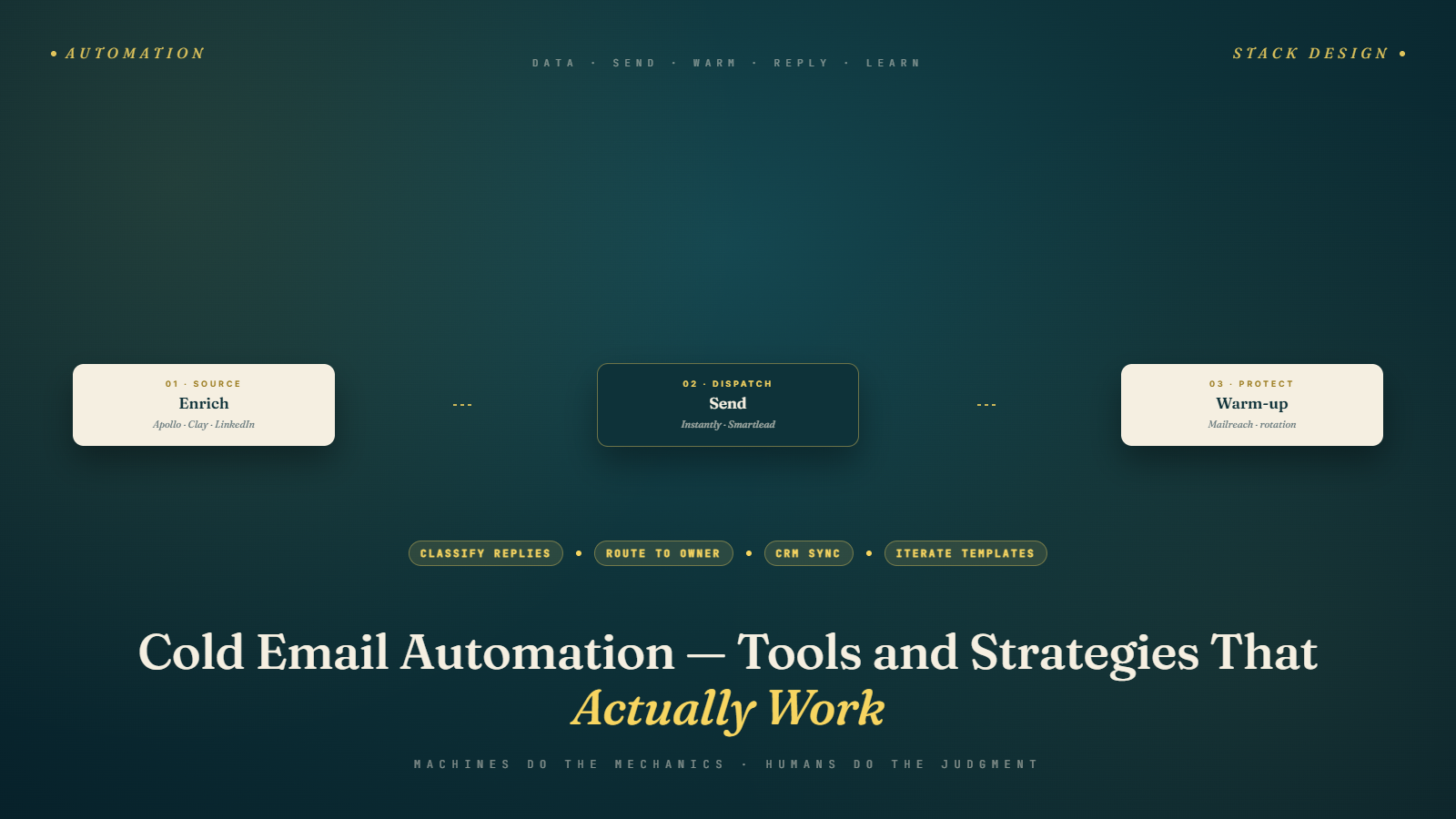
What "Automation" Actually Means in Cold Email
The word automation gets thrown around in cold email in ways that range from genuinely useful to actively harmful. Some people use it to mean "let the software handle everything" — and then wonder why they get 0.5% reply rates and their domain ends up blacklisted. Others use it to mean "use tools to handle the mechanical parts while humans handle the judgment parts" — and those people run efficient, high-converting outreach programs.
The distinction matters more than most people realize. Cold email is fundamentally a human communication. Automation is the support structure that lets humans focus their attention on the high-judgment work — the research, the personalization, the actual conversations — while the software handles the mechanics: scheduling, sequencing, follow-up timing, delivery, and tracking.
When automation takes over the human parts — when it writes the emails, picks the personalization hooks, decides who's worth following up on, and sends generic messages at scale — the results degrade quickly. Recipients can feel it. The reply rates show it.
This article maps the cold email automation landscape: what to automate, what not to, which tools belong in which part of your stack, and how to build a system that scales efficiency without sacrificing the quality that actually gets replies.
This is the opening article of Phase 5. For the full sequence architecture this automation serves, see Building Your First Cold Email Sequence — the pillar article for this phase.
The Automation Spectrum
Think of cold email automation as a dial from "fully manual" to "fully automated." Neither extreme works well in practice.
Fully manual: You research every prospect individually, write every email from scratch, send from your personal inbox, and follow up based on memory. This produces the highest-quality outreach but doesn't scale beyond 5–10 personalized emails per day.
Fully automated: A tool scrapes a list, fills in variables, sends at volume, and follows up automatically with no human review. This can reach thousands of people but generates spam-level reply rates, deliverability problems, and reputational damage.
The operational sweet spot: Humans handle research, personalization hooks, and relationship management. Automation handles scheduling, sequencing, delivery, multi-step follow-up, and reporting. This is where strong cold email programs live — efficient enough to send at meaningful volume, personal enough to generate real replies.
The goal of your automation stack is to push as much of the mechanical work to software as possible, while preserving human judgment at the moments that determine quality.
What to Automate
Sequence delivery and scheduling Once an email sequence is written, the sending cadence — when each step goes out, how many days between steps, at what time of day — should be entirely automated. There's no human judgment needed in "send follow-up 3 four days after follow-up 2." Let the platform handle it.
Follow-up tracking Manually tracking who has been emailed, when, how many times, and whether they replied is a spreadsheet nightmare at any meaningful scale. Your sending platform should handle this entirely — tracking sequence position, suppressing contacts who've replied or unsubscribed, and giving you a clear view of where each prospect is in your sequence.
List management and suppression Contacts who opt out should be suppressed automatically and permanently. Bounced addresses should be removed from future sends automatically. Contacts who convert (book a meeting, request a call) should exit sequences automatically. All of this is mechanical and should be automated.
Email verification Bulk verification — running hundreds or thousands of contacts through BulkMailVerifier before campaigns launch — is a workflow that's easy to automate through API integration or batch processing. Make it a standard step in your list preparation pipeline, not a manual one-off.
Basic CRM enrichment When a prospect replies, gets added to a sequence, or books a meeting, that activity should sync to your CRM automatically. Manual data entry at this level is a waste of time and introduces errors.
Reporting and metrics Open rates, reply rates, bounce rates, meeting booked rates — all should be reported automatically by your sending platform and, ideally, visualized in a dashboard you check regularly. Manual report compilation is unnecessary with modern tooling.
What Not to Automate
The personalization hook The specific first line, the specific trigger reference, the specific insight about this company or person — this should not be automatically generated without human review. AI tools can surface raw material, but the judgment call about what's actually relevant and how to frame it needs a human eye.
The ICP qualification decision Deciding whether a specific company genuinely belongs on your target list isn't a mechanical process. Automated list building from database filters is a starting point; human review and qualification should be the gate before contacts enter live sequences.
The response triage When someone replies to a cold email, the response should come from a human who reads the email in context and replies appropriately. Auto-responders to cold email replies are almost always a bad idea and often destroy rapport at the moment it's most important to preserve it.
Strategic decisions about copy and offer What value proposition to lead with, how to frame the problem, what proof point to use — these are human judgment calls that need iteration and thought. Automation can test variants, but it can't make the strategic decision about what to test.
The Cold Email Tool Stack
Here's how a typical automated cold email stack breaks down by function:
Sending and Sequencing Platforms
These are the core tools — they manage your email sequences, handle follow-ups, connect to your inboxes, and provide tracking and reporting.
Instantly: Purpose-built for high-volume, multi-inbox cold email. Excellent inbox rotation, native warm-up, clean sequence management. One of the most popular choices for teams running serious outbound at scale. Strong on deliverability management.
Smartlead: Very similar feature set to Instantly. Some practitioners prefer its campaign management interface. Also includes warm-up natively. Good for multi-account operations.
Lemlist: More feature-rich on personalization — supports personalized images and video thumbnails, and has a stronger multi-channel capability than most alternatives. Lemwarm is their warm-up product. Better for teams that want to do creative personalization at scale.
Reply.io: More of a full sales engagement platform — includes LinkedIn automation, SMS, and call integration alongside cold email. Better for teams running true multi-channel sequences with an SDR workflow.
Apollo.io: Combines prospecting (the database), email sequencing, and some automation in one platform. Convenient if you want one tool for both finding prospects and reaching out, though specialist tools often outperform it in individual dimensions.
Prospecting and List-Building Automation
Tools that help automate parts of the prospect discovery process — covered in depth in Phase 2:
- Apollo, ZoomInfo, Lusha — database tools with saved search and export automation
- LinkedIn Sales Navigator — saved search alerts that automatically surface new ICP-matching prospects
- Evaboot / Wiza — LinkedIn scraping tools that automate contact extraction from Sales Navigator
- Clay — a powerful data enrichment and automation tool that pulls from multiple sources to build and enrich prospect lists automatically
Enrichment Automation
Clay: Deserves a dedicated mention because it's changed the enrichment game significantly. Clay lets you build automated workflows that pull data from LinkedIn, Apollo, Clearbit, and dozens of other sources, run waterfall logic (try source A, if no result try source B), and output a fully enriched contact list without manual research for each record. For teams doing personalization at scale, Clay has become a foundational tool.
Zapier / Make: For connecting tools that don't have native integrations. New Apollo lead → add to sequence in Instantly. Meeting booked → create deal in HubSpot. These connection workflows eliminate entire categories of manual data transfer.
Analytics and Reporting
Most sending platforms include native reporting. For teams that want cross-campaign analytics, CRM revenue attribution, or more sophisticated dashboards, tools like Salesforce (for attribution), HubSpot (for pipeline tracking), or Looker/Metabase (for custom dashboards) fill the gap.
Building Your Automation Stack: The Practical Path
Starting out (1–2 people, under 100 emails/day):
- One sending platform (Instantly or Smartlead)
- One data source (Apollo for most markets)
- Email verification before every campaign (BulkMailVerifier)
- Basic CRM or even a spreadsheet for reply tracking
You don't need Clay, Zapier, or a dedicated enrichment tool at this stage. Keep it simple. Complexity doesn't improve results when volume is low — quality does.
Growing (2–5 people, 100–400 emails/day):
- Sending platform with multi-inbox support
- Warm-up tool (or integrated warm-up in your sending platform)
- A second data source to cross-reference and fill gaps
- Clay or basic Zapier workflows for enrichment and CRM sync
- Reporting dashboard to track performance across the team
Scaling (5+ people, 400+ emails/day):
- Full multi-inbox, multi-domain infrastructure (as covered in Managing Multiple Email Accounts)
- Dedicated enrichment workflow (Clay or equivalent)
- CRM integration with proper attribution
- Inbox placement monitoring (GlockApps or similar)
- Documented SOPs for every process
- Reporting that tracks both activity metrics and revenue attribution
The Automation Trap: When Tools Start Running the Show
There's a specific failure mode in automated cold email that's worth naming explicitly. It happens when a team gets comfortable with their automation stack, starts trusting the tools more than their own judgment, and gradually lets automation make more decisions:
- The ICP filter gets looser because "we can just exclude bad leads later"
- The personalization hook gets removed because "AI can do it well enough"
- The follow-up sequence gets extended to 10 steps because "why not, it's automated"
- List quality slips because re-verification takes manual effort
This is automation creep, and it inevitably leads to the outcomes that give cold email a bad reputation: generic blasts, high complaint rates, deliverability problems, and burnout from chasing leads that were never going to convert.
The antidote is treating your automation stack as infrastructure for human decisions, not a replacement for them. Review your campaigns regularly. Audit your list quality. Read your own emails as a prospect would. The moment your outreach starts feeling like spam — even to you — it's time to add the human layer back in.
Automation Configuration That Protects Deliverability
Poorly configured automation is one of the top reasons cold email programs run into deliverability problems. The tools themselves aren't the issue — the settings are. A few configuration rules that protect your sending reputation while still running at volume:
Sending windows: Configure your sequences to only send during business hours in your target market's timezone. Emails that land at 2 AM local time don't get opened — they get buried or trigger complaint behavior. Most platforms support timezone-aware scheduling; use it.
Randomized send intervals: The worst-performing automation setups send at completely regular intervals: email delivered at exactly 9:00 AM, 9:05 AM, 9:10 AM. This is a machine pattern, and inbox providers notice it. Good platforms randomize send times within a defined window — set your sequence to send between 8 AM and 11 AM, and let the platform vary the exact minute of each send. This produces a more natural delivery pattern.
Per-inbox daily caps: Never send more than 40–50 emails per day from a single inbox unless it has been running for 3+ months with clean metrics. Even then, stay conservative. The rule of thumb from Sending Limits & Scaling Safely is to scale by 20% per week — not 100% overnight because you got impatient.
Bounce and complaint thresholds: Configure your platform to pause a campaign automatically if bounce rates exceed 3–4% or if unsubscribe/complaint rates exceed 0.1%. These aren't arbitrary numbers — they're the thresholds where mailbox providers start penalizing your sending reputation. Catching problems automatically before they compound is better than discovering them after the damage is done.
Reply detection and sequence exit: This is non-negotiable — any reply to any email in a sequence should immediately remove the contact from the automated sequence. No exceptions. Confirm this setting is active in your platform before any campaign goes live. The failure mode (automated emails going out after someone has already replied) is embarrassing at best and reputation-damaging at worst.
Measuring Whether Your Automation Is Working
Automation adds an efficiency layer, but it can also mask quality problems if you're only looking at top-line numbers. The right metrics to track at the automation level:
Deliverability metrics per inbox: Not just overall — per inbox. If one of your inboxes starts seeing open rates drop from 45% to 15%, that inbox may be having a deliverability issue that's invisible in aggregate numbers. Watch per-inbox metrics weekly.
Sequence completion rates: What percentage of contacts make it all the way through your sequence without bouncing, unsubscribing, or being flagged? A healthy sequence has a high completion rate with a meaningful subset of contacts replying at various points. A sequence with high early exit rates (bounces, unsubscribes) is a signal of list quality or targeting problems.
Reply rate by sequence step: Not just total reply rate — reply rate per email in the sequence. If 60% of your replies come from Email 1 and Emails 2–6 are collectively producing nothing, you're running a 1-email sequence with 5 unnecessary follow-ups. If follow-up emails are generating healthy incremental reply rates, your sequence architecture is working as intended.
Time from send to reply: Slower reply times can indicate that personalization isn't landing immediately — people are sitting on emails before deciding to respond. Faster reply times typically indicate strong immediate relevance. This metric doesn't require action necessarily, but it's interesting intelligence about how your copy lands.
Cost per meeting booked: Ultimately, automation is infrastructure that should be evaluated against its contribution to pipeline. Track the meetings generated from automated sequences, tie them back to sending infrastructure costs (platform subscriptions, inbox costs, verification costs), and calculate your cost per meeting booked. This is the number that tells you whether your automation investment is paying off.
Common Automation Mistakes
Mistake 1: Automating Too Early
Teams that invest in complex automation stacks before they've validated their ICP, their messaging, and their offer are building a fast engine with no steering wheel. Get the fundamentals right manually before automating them.
Mistake 2: Letting the Tool Set the Limits
Most cold email platforms allow you to set sending limits per inbox. The default settings are often too aggressive for newly warmed domains. Always configure limits based on the safe ranges from Sending Limits & Scaling Safely — don't just accept platform defaults.
Mistake 3: Treating Automation as "Set and Forget"
Automated sequences still need regular review. Copy goes stale. Market conditions change. A sequence that was generating 8% reply rates three months ago might be generating 2% today for reasons you'd only catch by actually reading it and checking your metrics.
Mistake 4: Over-Automating the Personalization Layer
Using AI to generate a unique first line for every contact sounds efficient. In practice, AI-generated personalization is detectable, often awkward, and rarely achieves the "this was written for me" feeling that makes personalization valuable. Scale personalization through better template design and tiered research effort — not by outsourcing judgment to AI.
Next up: Building Your First Cold Email Sequence — the pillar guide for Phase 5 that maps out the full structure of a high-converting multi-touch outreach sequence.