
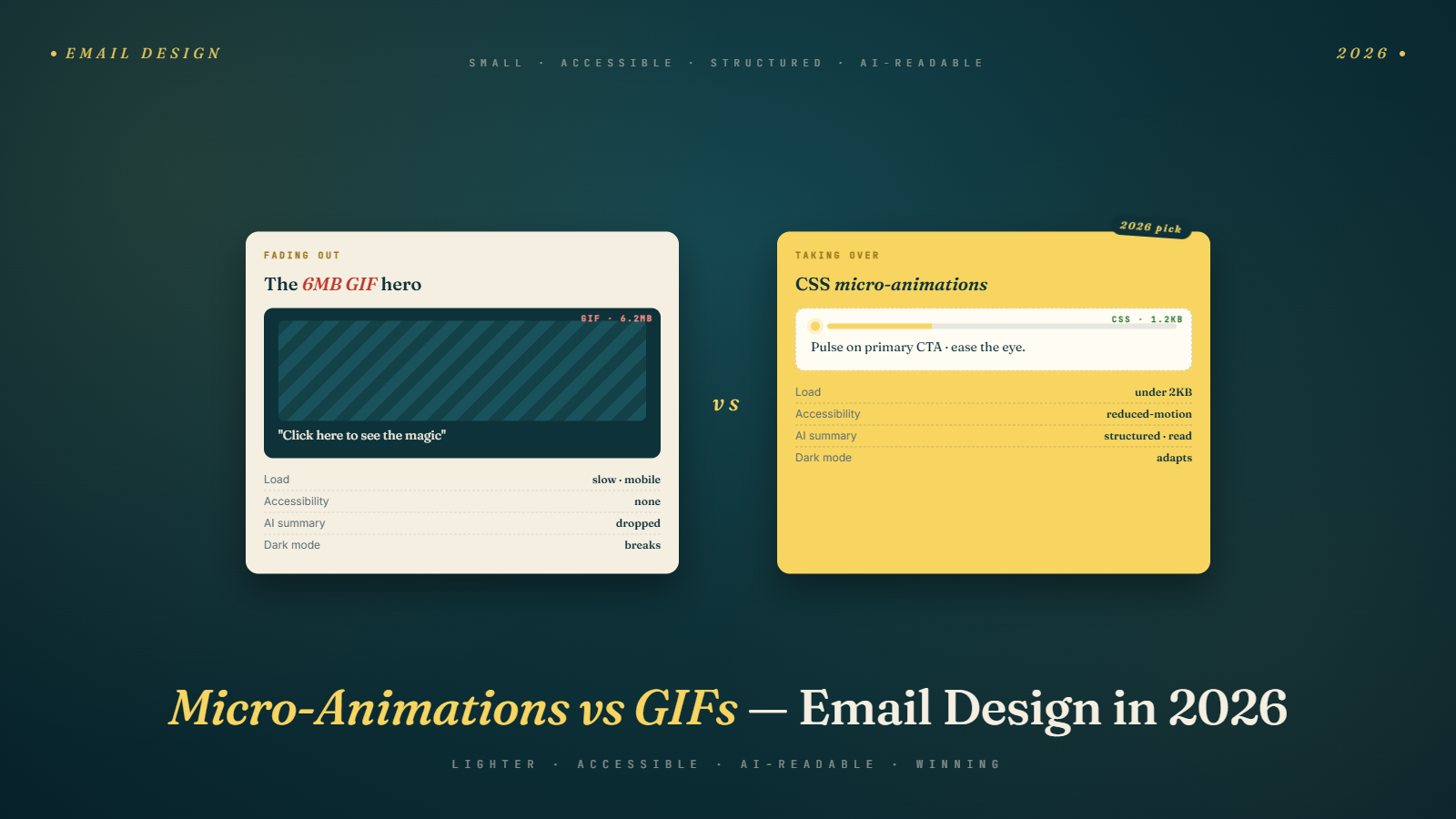
A DTC skincare brand I consult for spent six weeks in Q4 2025 rebuilding their flagship promotional email template around CSS animations instead of GIFs. The creative team was excited. The animations were beautiful in Figma. When the emails went live, Apple Mail rendered them correctly, some Outlook versions stripped them entirely, Gmail's web client handled half the animations and ignored the rest, and their older subscribers on Outlook 2016 got a template that looked visually broken.
The brand had made a solid creative call and a weak technical one. The animations worked for the 62% of their audience on compatible clients. For the rest, the emails read worse than the GIF-based versions had. This is the design crossroads most email programs are hitting in 2026, and most of the advice circulating on it is missing the operational detail that actually matters.
The State of Motion in Email, Early 2026
Three kinds of motion now exist in marketing email, each with different support profiles and different appropriate uses.
Animated GIFs are the legacy option, universally supported, and the lowest-effort way to add motion. They have known weaknesses: file sizes that bloat email weight, quality loss on complex animations, limited color fidelity, and the fact that many subscribers now perceive them as dated aesthetic choices.
CSS animations are the middle option, supported by Apple Mail, most Gmail web and mobile clients, iOS Mail, and some modern webmail clients. They produce smoother motion at smaller file sizes and allow more design sophistication. They fail gracefully to static states in unsupported clients, but only if you build them with that fallback in mind. Outlook for Windows is still largely hostile territory.
Interactive elements like hover states, carousels, and embedded video are the most ambitious category. Some Apple clients support them well. Others ignore them. The development effort is significant and the payoff only materializes for the subset of audiences where these render correctly.
The realistic 2026 playbook is not to pick one and commit. It is to understand which kind of motion serves which kind of content, and to accept that motion in email is a progressively-enhanced feature, not a universal one.
The 50-Second Framework
Use GIFs for short, product-focused motion that needs to work everywhere: a product spinning, a before-and-after reveal, a countdown to a deadline. Use CSS animations for brand-feel micro-motion that subtly enhances but is not essential: a button that pulses, a gradient that shifts, a hover state on desktop. Reserve interactive elements for specific segments whose clients you know support them. Never rely on motion to carry a critical message, because a meaningful share of your audience will see the static fallback, and that fallback has to work on its own.
That is 89 words and it is the full operating framework. The rest of this post explores where each kind of motion earns its production cost and where it wastes it.
Why GIFs Are Not Actually Dead
The narrative that GIFs are outdated needs qualification. GIFs remain the only motion format with truly universal email client support. Every client, including the worst-rendering corporate Outlook versions, displays the first frame at minimum and usually animates them fully. That universality is worth something significant when the goal is a reliable visual signal across the entire list.
GIFs have also improved. Modern export workflows produce smaller file sizes and better color fidelity than the animated GIFs people remember from 2015 email design. A well-compressed GIF in 2026 can be under 300KB and still look clean at reasonable dimensions.
The cases where GIFs are still the right choice include: any email where the motion carries product information, any send targeting audiences with heavy Outlook or enterprise email client exposure, any holiday or high-stakes promotional send where visual consistency across the audience matters more than aesthetic sophistication, and any send where production timelines do not support the additional QA that CSS animations require.
The mistake is not using GIFs. It is using them for things that would be served better by either a static image or by a CSS animation. A GIF of a logo pulsing serves no product purpose and could be replaced by a CSS animation on supported clients or by a static logo on unsupported ones, with no loss. A GIF showing a sweater hanging and rotating to display multiple angles is doing actual product work that justifies the file size.
Where CSS Animations Actually Earn Their Production Cost
CSS animations in email look great when they work and disappear when they do not. That fallback behavior is the key to understanding where they belong.
They work well for brand atmosphere. A header gradient that shifts slowly. A subtle parallax feel on a hero image. A button that pulses or glows to draw attention. These are the kinds of motion where the static fallback reads as a clean, well-designed email and the animated version reads as a polished, modern email. Either rendering is good. The animation is additive, not load-bearing.
They also work well for desktop-focused campaigns where you know the audience reads in Apple Mail or modern webmail. A B2B newsletter targeting creative professionals has different client distribution than a promotional email to a broad consumer audience. If your audience leans toward Apple Mail and modern Gmail clients, CSS animations pay off more reliably.
Where they fail is as a carrier of information. If the content of the email depends on the animation to be understood, subscribers on unsupported clients receive a broken experience. A CSS animation that reveals a discount code only when the button hovers is a bad idea for email. Subscribers on a client that does not render the hover state never see the code. Information should always be in the static rendering. Motion should enhance, not deliver.
The Accessibility Question Nobody Talks About
Motion in email has an accessibility dimension that most design conversations skip. Subscribers with vestibular disorders can experience nausea or disorientation from animated content, particularly animations with fast motion or parallax effects. Subscribers with photosensitive conditions can have seizures triggered by flashing or strobing content. The WCAG guidelines have specific criteria for this that most email designers are not familiar with.
The technical accommodation is the prefers-reduced-motion media query, which CSS respects but GIFs do not. A subscriber who has set their system to reduce motion sees your CSS animations as static. A GIF continues animating regardless.
This is a point in CSS animations' favor that is underrated in the production-cost comparison. A well-built CSS animation respects user accessibility preferences automatically. A GIF does not. For brands where accessibility is part of their brand promise, or for audiences that skew toward groups where reduced-motion settings are more common, this is a real consideration.
The specific implementation pattern: wrap your CSS animation in a @media (prefers-reduced-motion: no-preference) query. Subscribers with reduced motion preferences get the static version. Everyone else gets the animation. This costs nothing in development time and resolves the accessibility question cleanly.
Production Economics of Animated Email
A GIF takes less design time than a CSS animation, but more production time than a static image. A CSS animation takes more design time than a GIF and significantly more QA time, because you have to test it across clients.
For programs operating on tight production timelines (daily sends, rapid-turnaround campaigns), this economic reality means GIFs remain the practical choice for most sends. CSS animations earn their production cost on flagship sends: the welcome email, the brand story email, the seasonal flagship campaign, the anniversary communication. Emails that will be viewed by a large audience and that represent the brand's voice get the investment. Daily promotional blasts generally do not.
The production trap some teams fall into is treating every email as a flagship. The creative team pushes for animated elements everywhere, the development time balloons, and sends that should have been fast simple executions turn into week-long projects. The answer is tiered production: static template for most sends, CSS animation enhancements for specific flagship sends, GIFs where motion carries information regardless of flagship status.
The Client-Support Matrix You Actually Need
Email rendering is not worth memorizing in detail because it changes constantly, but the broad matrix for 2026 motion support looks roughly like this.
GIFs: supported everywhere including corporate Outlook, though some enterprise environments strip images entirely as a security policy.
CSS animations using transform and opacity: supported in Apple Mail across all recent versions, iOS Mail, Gmail web and mobile on modern browsers, Yahoo Mail, and most iOS and Android native clients. Inconsistent in Outlook for Web, almost always stripped in Outlook for Windows.
CSS keyframe animations: similar profile to transform-based animations but with slightly less consistent support. Pay particular attention to Gmail's handling, which has changed repeatedly and depends on browser.
CSS hover states and transitions on desktop: reasonably supported on Apple Mail and Outlook for Mac. Intermittent on Gmail web. Irrelevant on mobile clients where there is no hover interaction.
Interactive elements like accordions or tabs built with CSS checkboxes: unreliable. The effort-to-payoff ratio is poor for most programs.
The practical advice is to build every template with a static fallback that looks complete on its own, then layer motion on top for the subscribers whose clients support it. Test across a few key clients on every send. Email on Acid, Litmus, and similar testing platforms make this tractable.
The Design Patterns Working in Q1 2026
A few specific patterns I keep seeing in campaigns that perform well.
Subtle pulse on primary CTAs. The button has a gentle pulse or glow to signal clickability. Subscribers on unsupported clients see a well-designed static button. Subscribers on supported clients get a slight motion cue that draws the eye. This is CSS animation doing its best work: additive, non-essential, brand-consistent.
Gradient shifts in header areas. A color gradient that slowly transitions gives the email a living feeling without demanding attention. Falls back to a clean gradient or solid color on unsupported clients. Works particularly well for brand-atmosphere emails where the content is not promotional.
Scroll-triggered reveals on mobile clients that support them. Content that animates in as the subscriber scrolls reads more like a modern app interface than a traditional email. This is more ambitious and the support is narrower, but for brands where mobile experience is the primary use case, it differentiates the email meaningfully.
Product GIFs for anything 3D or multi-angle. A single static image of a product cannot show what a short rotation or zoom can. GIFs remain the right tool for this category, and the universality of GIF support means every subscriber sees the product information.
Countdown GIFs for time-sensitive offers. Yes, these still work. The mechanic is simple, the urgency is visible, and the rendering is universal. Countdown animations are one of the few cases where GIFs are genuinely hard to beat.
The pattern that consistently fails is motion everywhere. Emails where the header animates, the buttons pulse, the icons spin, and the product grid reveals on scroll read as visual noise rather than thoughtful motion. The brands doing motion well pick one or two motion moments per email and let the rest be static.
How AI-Era Inbox Changes Interact with Email Design
Worth noting: Gemini's summary cards do not render animated elements. The AI summary is text-based, pulling from the email body content. Subscribers who read the summary instead of opening the email never see your motion design at all.
This has a subtle strategic implication. Motion is most valuable in emails that subscribers are likely to open rather than skim via summary. Brand-feel emails, storytelling content, and flagship sends are more likely to pull an open than fast-moving transactional or promotional messages. The motion investment compounds in exactly the places where subscribers will see the result.
For emails that get summarized and skipped, the motion investment is wasted on subscribers who never opened. That is not an argument against motion. It is an argument for front-loading content so the summary is compelling and reserving motion work for emails where opens are the primary mechanic. The broader shift in what Gemini changes for marketers informs how motion fits into the new inbox reality.
Accessibility and Bandwidth Considerations in Global Audiences
Email audiences are global, and motion decisions need to respect that. GIFs can be hefty. An unoptimized animated email can exceed 1MB, which is a real problem for subscribers on limited data plans, older devices, or slow connections. CSS animations are much lighter weight on the network side but can tax older device processors when elaborate animations run on mobile.
The practical accommodation: optimize aggressively. GIFs should be compressed to as small as possible while preserving the animation quality. CSS animations should use transform and opacity, which are GPU-accelerated on most devices, rather than animating layout properties like width or top, which force expensive reflows.
For programs with significant audiences in regions with lower-bandwidth mobile connectivity, these optimizations are not optional. An email that takes ten seconds to load because of an unoptimized 2MB GIF is an email that gets closed before the subscriber sees anything.
What to Do With Your Next Three Sends
Concrete, limited advice that fits in a single planning meeting.
Identify which of your upcoming sends are flagship versus routine. Flagship sends, where the email represents a significant brand moment, are where motion investment earns its keep. Routine promotional sends generally do not warrant the extra production cost.
On your next flagship send, pick one specific motion moment rather than animating multiple elements. A single well-executed CSS animation on the hero or CTA button is stronger than three smaller animations competing for attention.
Audit your existing GIFs for file size. Anything over 400KB is worth running through a better compression tool or reconsidering as a static image with a CSS animation overlay for supported clients.
Pair the design work with list hygiene so your animated emails actually reach inboxes. A beautifully animated email that lands in spam because of deliverability issues is wasted production. Running your list through email verification catches the deliverability side while the design work handles the experience side. Both matter, and neither compensates for the other.
Send the motion-heavy version to a small test segment first and compare engagement against a static control. If the motion version performs within 5% of the static version, the production cost is probably not paying off and you should simplify. If it outperforms by more than 10%, you have found a pattern worth replicating. Let the data, not the designers' preferences, drive how much motion your program commits to.